
Thumb and Wrist Support: Understanding Spica Brace Designs
A thumb spica brace may look simple from the outside, but its support characteristics depend on how the thumb, hand, and wrist sections are connected. Two products can both be called “thumb spica braces” while having different coverage, materials, support structures, wrist lengths, thumb openings, fastening systems, flexibility, and movement allowances. This guide explains how different spica designs are constructed — and why coverage varies between products.
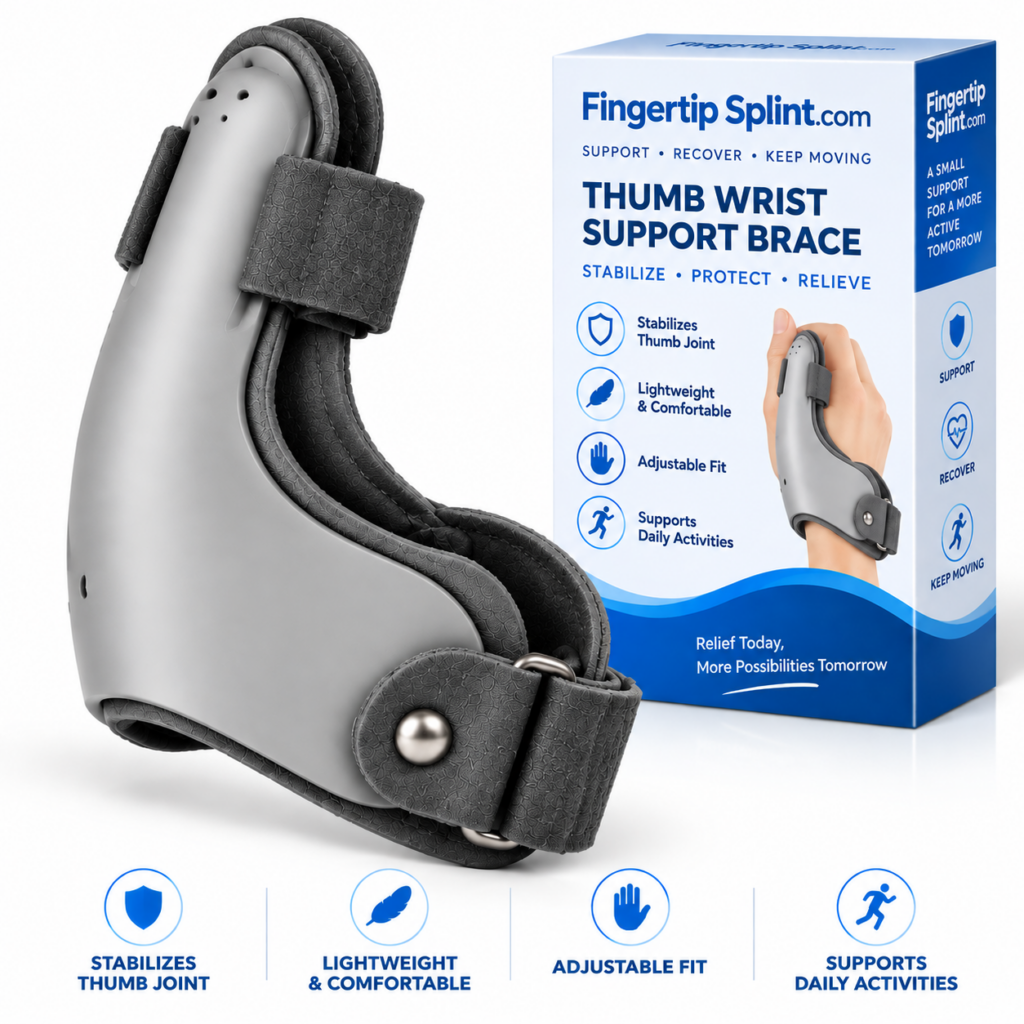
What This Design Guide Covers
- Quick Answer
- What Is a Thumb Spica Brace?
- 3D Interactive: Anatomy of a Spica Brace
- The “Spica” Architecture
- Interactive: Spica Design Zones
- Thumb Support vs Wrist Support
- Key Parts of Different Spica Designs
- Different Spica Design Approaches
- Interactive: Explore the Spica Design
- Coverage: Why Design Length Matters
- Flexibility vs Rigidity
- Fastening Systems
- Movement and Function
- Interactive: Movement Zone Explorer
- Spica Brace Design Comparison
- Product Spotlight
- Design vs Fit
- Design vs Intended Use
- Common Mistakes When Comparing Spica Designs
- How to Read a Product Description
- Professional Guidance
- Quick Design Checklist
- FAQ
- Conclusion
Quick Answer: What Is a Thumb Spica Brace Design?
A thumb spica brace is a support design that incorporates the thumb and may extend onto the hand and wrist. Its construction can include a thumb-support section, wrist support, fastening straps, flexible or semi-rigid materials, and different coverage patterns. The exact amount of movement and support depends on the specific design.
If you want the deeper mechanism explanation first, the reference CMC thumb spica splint: what is it and how does it work covers the anatomy and mechanism in detail. This article focuses specifically on the design architecture of spica braces.
What Is a Thumb Spica Brace?
“Thumb spica” describes a support configuration that incorporates the thumb into a larger support structure. Rather than functioning as a simple sleeve around one digit, a spica design typically extends around or along the thumb and onto the hand or wrist area.
Product Category
“Thumb spica brace” is a product category describing a general design approach. Not all spica braces are constructed the same way.
Anatomical Target
A spica design incorporates the thumb as a primary supported area. The specific focus may be around the thumb base or the thumb itself.
Physical Construction
The physical construction varies. Coverage, materials, fastening systems, and flexibility differ between products.
Key point: “Thumb spica” describes a design approach. It does not tell you the exact coverage, rigidity, or intended use of a specific product. Two products can both be called thumb spica braces while functioning quite differently.
Anatomy of a Thumb Spica Brace: 3D Interactive
This interactive shows the components of a thumb spica brace. Tap each component to see what it contributes to the overall design.
Interactive 3D: Anatomy of a Thumb Spica Brace
Tap each component to explore its role
Thumb Support
The thumb-support portion interacts with the thumb. Its design determines how the brace contacts and positions the thumb. Depending on the specific spica design, thumb coverage may include the base, shaft, or tip of the thumb.
Spica architecture → Coverage → Support structure → Movement → Everyday use
The “Spica” Architecture
This section explains how a spica design is organized. A spica-style support generally incorporates the thumb into a larger support structure. Understanding the zones helps clarify how different designs are constructed.
Zone 1 — Thumb
Where the thumb-support portion interacts with the thumb. The design may contact the thumb base, shaft, or tip.
Zone 2 — Thumb Base
The region around the base of the thumb. Many spica designs concentrate support around this area.
Zone 3 — Hand
The support may transition into the hand or palm area. The hand section helps connect the thumb support to the wrist support.
Zone 4 — Wrist
The structure can extend onto the wrist to create a broader support base. The extent of wrist coverage varies by design.
Zone 5 — Fastening
Straps or closures keep the structure positioned during wear. The fastening system affects how the brace fits and stays in place.
Key concept: These zones work as one physical design, but their exact construction differs between products. Some designs emphasize certain zones more than others. The design’s coverage of each zone determines its overall support characteristics.
For a deeper explanation of how the thumb and wrist support sections work together, the reference how a thumb spica brace supports the thumb and wrist together covers the topic in detail.
Interactive: Spica Design Zones
Click each zone to understand its role in the spica architecture. This is an educational tool, not a medical diagram.
Spica Design Zones
Click each zone to see its role in the design.
Thumb Support vs Wrist Support
This section explains what each support component contributes. Understanding the difference helps you evaluate how a specific design is constructed.
Thumb-Support Component
- Thumb coverage
- Thumb positioning
- Thumb-base contact
- Thumb opening
- Movement space
Wrist-Support Component
- Wrist coverage
- Support base
- Wrist positioning
- Length
- Comfort around the wrist
Why connect them? Connecting thumb and wrist support can create a single support structure rather than two completely separate pieces. The wrist section can provide a supporting base or anchor for the thumb-support portion. The extent of this connection varies by design.
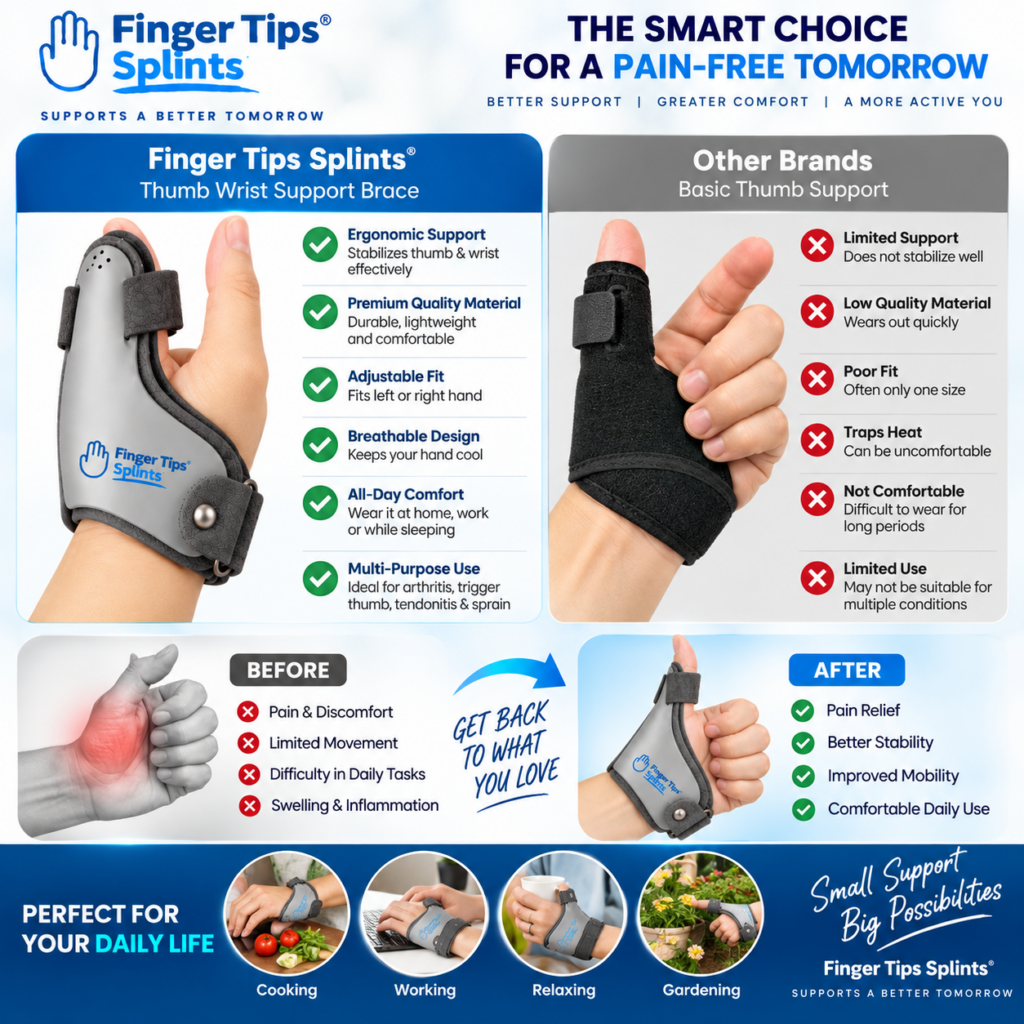
This view shows how the thumb-support section connects to the wrist-support section in a spica design. Notice the thumb coverage, the transition through the hand area, and the wrist extension. Coverage varies by product design.
Key Parts of Different Spica Designs
Different spica designs share common component types but vary in how those components are constructed. Understanding the parts helps you evaluate a specific product.
Thumb Sleeve / Opening
Where the thumb sits within the structure. The opening size and shape affect positioning and comfort.
Support Body
The main material surrounding the thumb, hand, and wrist. May be flexible, semi-rigid, or structured.
Wrist Section
Determines how far the design extends toward the wrist. Longer sections provide more coverage.
Straps
Used to secure the brace. Different strap systems affect how the brace fits and stays in place.
Adjustment Points
Allow the wearer to alter fastening. Adjustment points affect how the brace fits and how comfortable it feels.
Reinforcement / Support Elements
Some designs may incorporate additional structures depending on their construction. These vary between products — check the specific product’s specifications.
Different Spica Design Approaches
Instead of treating these as official “types,” this section describes common design approaches. Different products combine these characteristics in different ways. No single design is universally superior.
Relatively compact with limited overall coverage. Potentially less bulky. Often focused on the thumb and thumb base without extending far onto the wrist.
Thumb section connected to wrist support. Broader support area with moderate wrist coverage. The connection provides a structural anchor.
Longer support structure with greater coverage toward the wrist or forearm. Potentially greater effect on wrist movement and more bulk.
Soft construction with flexible support. Comfort-focused architecture. May allow more movement than structured designs.
Firmer structural elements for more defined positioning. May have different movement characteristics from flexible designs.
Straps and closures allow customizable fastening. Fit depends heavily on correct adjustment according to the manufacturer’s instructions.
Important: Don’t declare one design universally superior. Each approach has different characteristics. The appropriate design depends on the specific situation, intended use, and manufacturer’s guidance.
Interactive: Explore the Spica Design
Click each part of the spica design to understand what it contributes. This is an educational tool, not a medical recommendation.
Explore the Spica Design
Click each part to reveal a short explanation.
Coverage: Why Design Length Matters
Coverage is one of the most visible ways spica designs differ. Different coverage patterns affect how the brace functions and how it feels.
Thumb-Only Coverage
More localized support focused on the thumb area with minimal extension onto the hand or wrist.
Thumb + Hand Coverage
Broader contact area that includes the hand. Provides more support surface and helps anchor the brace.
Thumb + Wrist Coverage
Connected support structure that extends onto the wrist. Provides a structural anchor for the thumb support.
Extended Wrist Coverage
Longer physical footprint that extends further along the wrist. Provides broader coverage but may add bulk.
Key principle: More coverage does not automatically mean a brace is more appropriate. Coverage should correspond to the intended support area, design characteristics, and individual requirements. The appropriate coverage depends on the specific situation.
Flexibility vs Rigidity
Spica braces exist on a spectrum from flexible to rigid. Understanding this spectrum helps evaluate design characteristics.
| Design Characteristic | Flexible | More Structured |
|---|---|---|
| Material behavior | Bends more easily | Holds shape more firmly |
| Movement | Often allows more movement | May limit movement more |
| Bulk | Often lower | Can be higher |
| Positioning | Less structured | More structured |
| Comfort | Depends on fit and material | Depends on fit and material |
| Everyday function | Activity-dependent | Activity-dependent |
Important: “Flexible” and “rigid” are design characteristics, not automatic quality rankings. The appropriate level of structure depends on the intended use and the specific situation.
Fastening Systems
Fastening matters because it determines how the brace stays in position. Different designs use different fastening approaches.
Hook-and-Loop Straps
Adjustable straps that allow the fit to be modified. Common in many spica designs.
Elastic Sections
Elastic materials that allow some stretch and movement. May provide different fit characteristics.
Adjustable Closures
Closures that allow the fit to be customized. Different designs use different closure systems.
Wraparound Fastening
Systems that wrap around the hand or wrist. The wrap method affects how the brace fits.
Thumb-Specific Fastening
Fastening that specifically addresses the thumb support. This may include a strap that secures the thumb section or a closure that positions the thumb within the opening.
Key question: How does the fastening system keep the support in place? Not: which fastening is best? The appropriate fastening depends on the design’s intended function and the user’s requirements.
Movement and Function
Different spica designs influence movement differently. Understanding how design affects movement helps you evaluate a specific product.
Thumb Movement
How much the thumb can move depends on thumb coverage, support structure, material, fastening, and design purpose.
Wrist Movement
Longer wrist coverage may interact with wrist movement differently from shorter designs.
Finger Movement
Many designs leave the fingers relatively open, but coverage varies. Check the specific design’s intended coverage.
Interactive: Movement Zone Explorer
Click each area to understand how a spica design may interact with it. This is an educational tool, not a medical assessment.
Movement Zone Explorer
Click each area to see how it may be affected.
Spica Brace Design Comparison
This table compares three common design configurations. It does not declare a winner — the appropriate design depends on the intended purpose.
| Design Feature | Compact Spica | Thumb-Wrist Spica | Extended Spica |
|---|---|---|---|
| Thumb coverage | Variable | Variable | Variable |
| Wrist coverage | Lower | Moderate | Greater |
| Overall bulk | Often lower | Moderate | Potentially greater |
| Wrist interaction | Variable | More noticeable | More noticeable |
| Thumb support | Yes | Yes | Yes |
| Adjustability | Design-dependent | Design-dependent | Design-dependent |
| Movement | Design-dependent | Design-dependent | Design-dependent |
Important: This is a design-level comparison. Individual products within each category can vary. The goal is not to declare one design better — it is to understand how designs differ.
Product Spotlight: Example of a Connected Thumb-Wrist Spica Design
After understanding how spica designs are constructed, here is a specific product to examine. The 1 Pcs Thumb Wrist Support Brace CMC Thumb Spica Splint provides an example of a connected thumb-wrist spica design.
Thumb Wrist Support Brace
- Connected thumb-wrist spica design
- Thumb support architecture
- Wrist coverage
- Fastening system
- CMC-focused positioning
Design Characteristics to Evaluate
Thumb-Support Architecture
Review the thumb-support section described on the product page. Consider how the thumb support connects to the rest of the brace structure.
Wrist Coverage
Review the wrist coverage characteristics. Check how far the design extends onto the wrist and what this contributes to the overall structure.
Fastening System
Review the fastening system described. Consider how the straps or closures secure the brace during wear.
Adjustability
Review the adjustment features described. Check what can be adjusted and how the adjustment affects fit.
Overall Structure
Consider whether the structure appears flexible, semi-rigid, or rigid. Compare this against your intended use.
CMC-Focused Positioning
Review how the design positions support around the thumb base and CMC region. Consider whether this matches your requirements.
For a comparison of how CMC-focused support differs from regular thumb splints, the reference CMC thumb support vs regular thumb splints covers the differences in more detail.
Design vs Fit
Understanding the difference between design and fit helps clarify what each concept refers to.
Design
How the brace is constructed. Design includes coverage, materials, support structure, fastening system, and flexibility. Design is a property of the product itself.
Fit
How that design sits on a particular person’s hand. Fit depends on the individual’s hand size and shape, and on how the brace is adjusted. Fit is specific to the user.
For a detailed look at fit and coverage, the reference thumb spica splint fit guide covers the topic in more detail.
Design vs Intended Use
The label “thumb spica” doesn’t tell the reader everything about a product. A reader should investigate several aspects of the design to understand what the product is actually intended to do.
What to Investigate
- What area is covered
- How the brace is constructed
- How much movement is possible
- How it fastens
- How it is sized
- What the manufacturer says it is designed for
Important
Product categories describe a general approach. The specific design characteristics determine what the product is actually intended to do. Reading the product description carefully helps you understand what you are looking at.
For a broader framework for evaluating products, the reference what to consider when choosing a thumb wrist support brace covers selection criteria in more detail.
Common Mistakes When Comparing Spica Designs
These mistakes come up frequently when comparing spica designs. Avoiding them improves the comparison.
Construction varies significantly between products.
Check: the specific product’s design characteristics.
The name doesn’t tell you everything about the design.
Check: the product’s specifications and coverage.
Longer coverage isn’t automatically more appropriate.
Check: whether the coverage matches your intended use.
Rigidity is a design characteristic, not a quality ranking.
Check: whether the structure matches your requirements.
Wrist coverage affects how the brace functions and feels.
Check: how far the design extends onto the wrist.
Different designs allow different amounts of thumb movement.
Check: what movement the design is intended to allow.
Coverage, structure, and intended use matter more than price alone.
Check: whether the design matches your requirements.
Sizing and fastening affect fit and function.
Check: the manufacturer’s sizing and adjustment instructions.
How to Read a Product Description
Product descriptions can answer many questions about a spica design. This section explains what to look for when reading a product listing.
What to Look For
- Coverage: Does it mention thumb, hand, and wrist?
- Material: What is the support made from?
- Structure: Flexible, semi-rigid, or structured?
- Fastening: How does it stay in position?
- Size: Are measurements provided?
- Movement: Does the manufacturer describe movement characteristics?
- Intended use: What does the manufacturer actually say?
Why This Matters
A product description can tell you more than photos. By reading the description carefully, you can evaluate whether a product’s design matches your requirements before purchasing. If a description is missing key information — such as sizing, materials, or coverage — that itself is useful information for your decision.
Professional Guidance
This section is written with an EEAT (Experience, Expertise, Authoritativeness, Trustworthiness) perspective. Product design alone cannot determine whether a particular splint is appropriate for an individual problem.
Significant Injury
A significant injury warrants professional assessment rather than selecting a support device based on a product description.
Visible Deformity
Visible deformity warrants professional assessment. A brace should not be used to manage a deformity without professional guidance.
Substantial Swelling
Significant swelling affects fit and may indicate an underlying problem that requires professional assessment.
Severe or Worsening Symptoms
Severe or worsening symptoms are a sign that warrants professional assessment.
Persistent Numbness or Tingling
Numbness or tingling may indicate nerve involvement and should be assessed professionally.
Significant Loss of Movement
Significant loss of movement warrants professional assessment to determine the appropriate approach.
Symptoms That Aren’t Improving
If symptoms are not improving, do not simply continue comparing products. Seek professional guidance.
Warning Signs That Warrant Professional Assessment
- Severe or worsening pain
- Significant swelling
- Visible deformity
- Major loss of movement
- Persistent numbness or tingling
- Concerning skin or circulation changes
- Symptoms that are not improving
For general information about thumb and hand conditions, see the Mayo Clinic overview of thumb arthritis. For broader hand anatomy and condition information, the Cleveland Clinic hand anatomy resource provides useful context. For an orthopedic perspective, the AAOS thumb arthritis library is a widely referenced resource. For general public health information, the NHS hand pain guidance offers a practical overview. Additional medical reference information is available through MedlinePlus hand injuries and disorders. For clinical and anatomy-focused context, Johns Hopkins Medicine hand conditions provides further reading. General educational context is also available through WebMD’s overview of thumb arthritis and Healthline’s thumb arthritis information. For peer-reviewed literature, NCBI PubMed Central hosts open-access research where appropriate. For a broader orthopedic reference, Orthobullets provides structured clinical summaries.
Important: This article does not provide individualized medical advice. Always consult an appropriate healthcare professional regarding your specific situation.
Quick Design Checklist
Before choosing a spica design, check the following. Click each item to mark it as reviewed.
Quick Tips
Frequently Asked Questions
A thumb spica brace is a support design that incorporates the thumb and may extend onto the hand and wrist. Its construction can include a thumb-support section, wrist support, fastening straps, flexible or semi-rigid materials, and different coverage patterns. The exact amount of movement and support depends on the specific design.
The wrist section can provide a structural anchor for the thumb-support portion. By extending onto the wrist, the brace gains a larger base of support that can help maintain the position of the thumb-support section. The extent of wrist coverage varies between designs. Not every spica brace extends onto the wrist to the same degree.
No. “Thumb spica” describes a general design approach, not one universal construction. Different spica braces may have different coverage patterns, materials, support structures, fastening systems, flexibility, and movement characteristics. Two products can both be called thumb spica braces while functioning differently. Always check the specific product’s specifications.
A flexible spica design uses materials that bend more easily and may allow more movement. A more structured design uses materials that hold shape more firmly and may limit movement more substantially. Flexible and structured are design characteristics, not automatic quality rankings. The appropriate level of structure depends on the intended use and the specific situation.
Not necessarily. Different spica designs allow different amounts of thumb movement. Some designs are more flexible and allow more movement; others are more structured and restrict movement more substantially. Support does not automatically mean complete immobilization. The appropriate amount of movement depends on the specific design and the user’s situation.
This depends on the specific design. Longer wrist coverage may interact with wrist movement differently from shorter designs. Some designs may influence wrist movement more noticeably; others may have less effect. The exact effect depends on the design’s coverage, structure, and intended use. Check the specific product’s specifications for information about movement characteristics.
Compare designs by examining coverage (thumb, hand, wrist), overall length, materials, flexibility or rigidity, support structure, fastening system, adjustability, movement characteristics, sizing information, and intended use. Read the product descriptions carefully to understand the specific design characteristics. Don’t assume that longer or more rigid automatically means better — the appropriate design depends on the intended purpose and the specific situation.
Conclusion: Two Braces Can Share a Name, Not a Design
Thumb spica braces share a general design approach but vary considerably in construction. Coverage, materials, support structures, flexibility, fastening systems, and movement characteristics differ between products. Understanding these design elements helps you evaluate what a specific product actually is — rather than relying on the name alone.
This guide has covered the basic anatomy of a spica design, the zones that make up the architecture, the difference between thumb and wrist support, common design approaches, coverage patterns, flexibility, fastening systems, movement characteristics, and how to read a product description. The goal has been to explain how spica designs are constructed — not to declare one design universally better.
Explore a Connected Thumb-Wrist Spica Design
Review the product’s thumb-support architecture, wrist coverage, fastening system, adjustability, and overall structure against the design framework in this guide. The 1 Pcs Thumb Wrist Support Brace CMC Thumb Spica Splint is one example of a connected thumb-wrist spica design.
View the Thumb Wrist Support BraceNeed information about other thumb and hand support products? Explore the FingerTipSplint shop. For general questions, see the FingerTipSplint FAQ. For B2B inquiries, see the medical finger splint supplier page or request a quote.