
Choosing a CMC thumb support can seem simple until you compare different designs. Some focus on compression, some provide greater stabilization, some leave more thumb movement available, and others extend farther around the wrist. Before buying, understanding the differences can help you choose a support that matches your intended use rather than simply choosing the tightest or most expensive option. For a broader view of the FingerTipSplint range, start with CMC thumb and wrist support solutions.
Table of Contents
- What Is a CMC Thumb Support?
- 12 Features to Check
- Which Features Matter Most?
- Feature Comparison Table
- How Should It Fit?
- Interactive Fit Checker
- Using CMC Support in Everyday Life
- What Will You Use It For?
- 3D CMC Support Anatomy
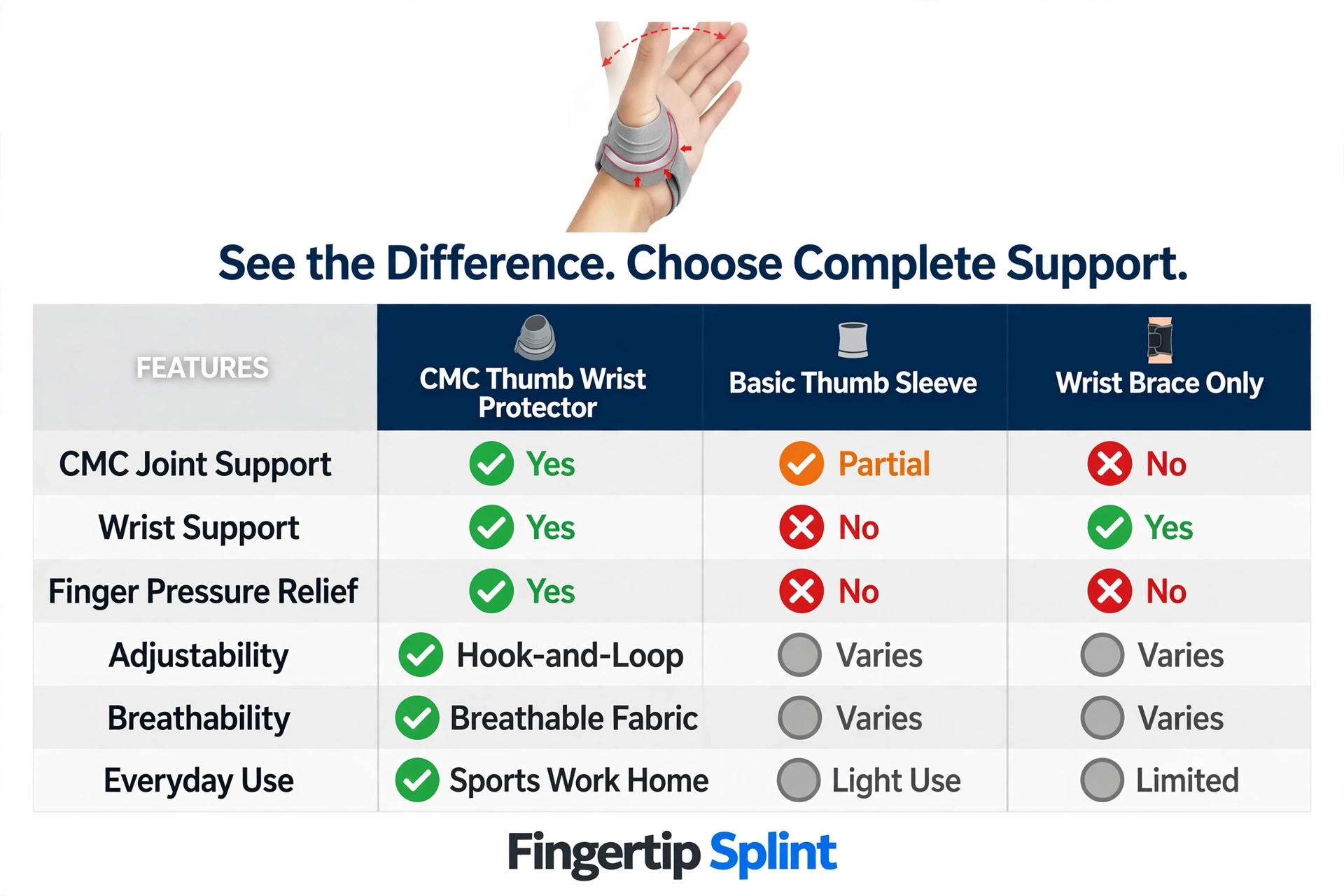
- CMC Support vs Other Options
- Product Spotlight
- How to Compare Two Products
- Common Problems After Buying
- 10 Buying Mistakes
- When to Reassess
- Doctor Advice
- Build a Practical Setup
- Buying Checklist
- FAQ
Look for correct coverage of the thumb-base area, appropriate support level, secure fit, adjustability, comfortable material, desired thumb mobility, and compatibility with your intended activity. No single feature guarantees results — match the product’s features to how you will actually use it.
What Is a CMC Thumb Support?
Understanding the CMC Joint
The CMC joint (carpometacarpal joint) is located at the base of the thumb, where the thumb meets the hand and wrist. It plays a central role in thumb movement, including opposition and pinch strength. The Mayo Clinic thumb arthritis overview explains that this joint is commonly affected by arthritis and can cause pain with gripping or pinching.
Why Do People Look for CMC Support?
People may seek CMC support for various reasons, including thumb-base discomfort, activity-related irritation, wanting additional stability, sports or activity protection, and everyday hand-use concerns. This article focuses on product features rather than diagnosis.
CMC Support vs Thumb Brace vs Thumb Splint
| Type | Main Focus | Mobility | Typical Design |
|---|---|---|---|
| CMC support | Thumb-base region | Usually higher | Flexible and supportive |
| Thumb brace | Thumb and surrounding area | Moderate | Supportive |
| Thumb splint | Stabilization | Lower | More structured |
| Wrist brace | Wrist | Depends on design | Wrist-focused |
12 CMC Thumb Support Features to Check Before Buying
1. CMC Area Coverage
Coverage determines the area that receives support. Ask whether the support actually covers the thumb-base area, whether it extends onto the wrist, whether it leaves important areas uncovered, and whether it shifts when the hand moves. For a broader comparison of protector types, see our guide on the best CMC thumb wrist protector support and fit guide.
2. Level of Support
Support ranges from light to moderate to more structured stabilization. Support level should match intended use — more restriction is not automatically better.
3. Adjustability
Hook-and-loop fastening, adjustable straps, and personalized tension allow the support to fit different hand sizes and accommodate changing comfort throughout the day. Adjustable designs are particularly useful for everyday buyers.
4. Thumb Mobility
Many everyday users still need to type, write, hold a phone, open doors, pick up objects, and perform household activities. A support that restricts every movement may not be convenient for all-day activities.
5. Wrist Coverage
More wrist coverage can provide more structure, but can also affect flexibility and comfort. The right level depends on the support you need.
6. Material
Consider breathability, softness, durability, moisture handling, skin contact, and heat buildup. The material determines how the support feels during extended wear.
7. Edge Comfort
Edges around the thumb, palm, and wrist can become noticeable during extended wear. Smooth edges prevent pressure points from forming.
8. Profile and Bulk
Compare low-profile support with more structured support. Consider clothing compatibility, keyboard use, phone use, grip, and general appearance.
9. Fastening System
Fastening matters for putting the support on, removing it, adjusting tension, preventing movement, and everyday convenience. The right fastening system should hold its setting during activity.
10. Hand and Finger Freedom
Check whether the design interferes with index finger movement, grip, pinching, writing, or typing. A support that restricts finger movement will not be practical for daily tasks.
11. Cleaning and Care
Consider washability, drying, material care, and manufacturer instructions. Follow the specific product’s guidance.
12. Intended Activity
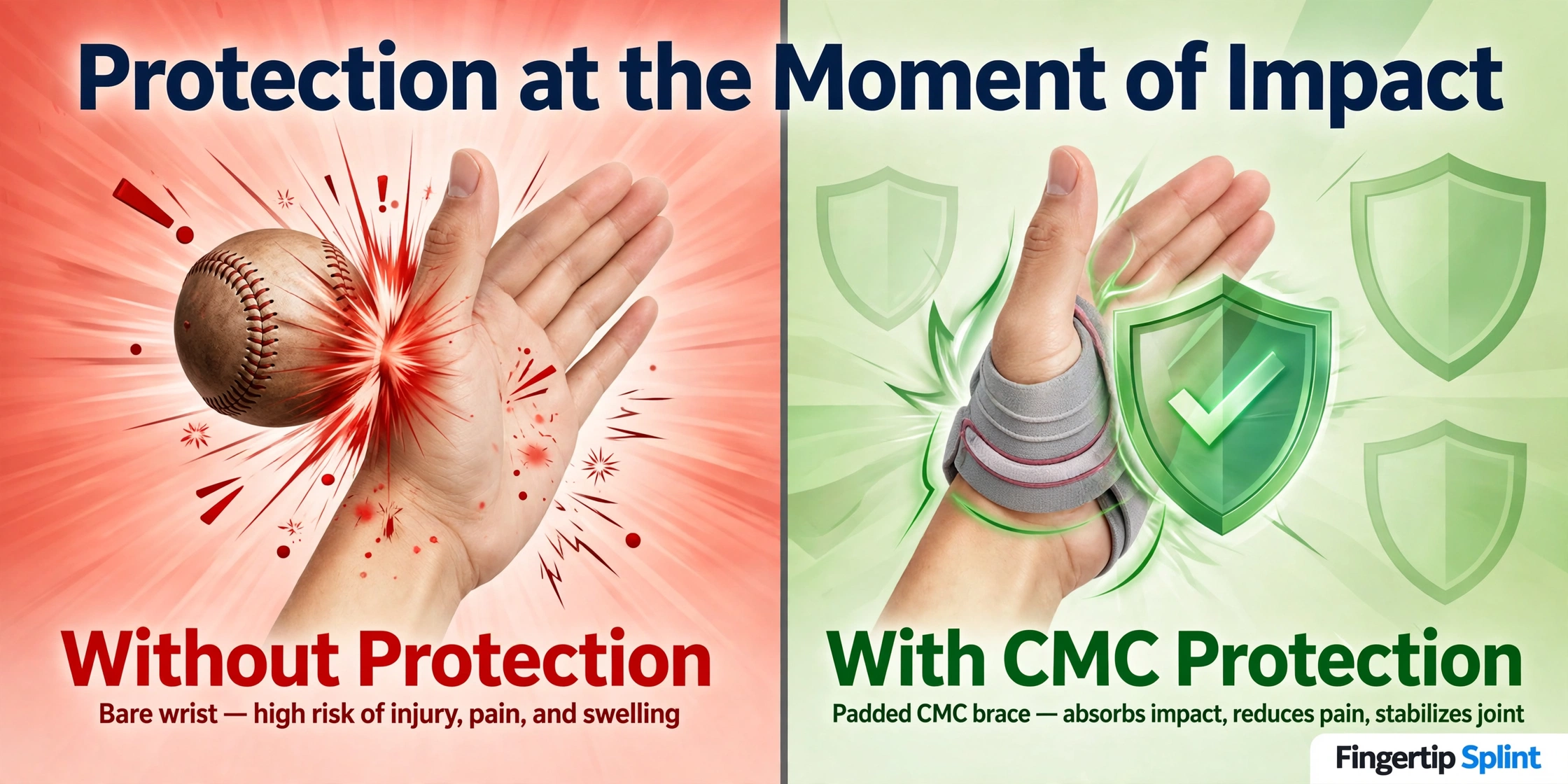
A support designed for everyday use may not be identical to one intended for sports. For sports-specific selection, see our guide on the sports thumb wrist protector buying guide.
Which CMC Support Features Matter Most to You?
Select what matters most and we will show you what to look for. This is a shopping decision tool, not medical advice.
- Look for breathable material
- Comfortable edges that do not dig in
- Appropriate fit without excessive pressure
- Low-profile construction that does not interfere with tasks
- Soft contact surface against the skin
Compare CMC Thumb Support Features at a Glance
| Feature | Why It Matters | What to Check |
|---|---|---|
| Coverage | Determines supported area | Thumb base and wrist |
| Adjustability | Helps customize fit | Adjustable closure |
| Mobility | Affects daily tasks | Thumb and finger freedom |
| Material | Influences comfort | Breathability and softness |
| Support | Determines structure | Flexible vs structured |
| Profile | Affects usability | Bulk and clearance |
| Fastening | Controls security | Easy adjustment |
| Care | Affects maintenance | Manufacturer instructions |
How Should a CMC Thumb Support Fit?
What a Proper Fit Should Feel Like
Secure
Stays in place without sliding excessively.
Comfortable
Can be worn without pain or pressure points.
Stable
Provides consistent support without shifting.
No unnecessary pressure
No persistent pressure, pinching, or numbness.
Useful movement preserved
You can still perform necessary daily tasks.
Skin remains comfortable
No redness, irritation, or pressure marks.
Signs the Support May Be Too Tight
- Numbness
- Tingling
- Significant discoloration
- Increasing pain
- Pressure points
- Skin irritation
Signs It May Be Too Loose
- Sliding
- Rotation
- Frequent adjustment
- Support moving away from the target area
CMC Thumb Support Fit Check
Click each item to confirm. If you cannot confirm most of these, the fit needs adjustment.
Using CMC Thumb Support in Everyday Life
CMC Support While Typing
Consider keyboard positioning, mouse use, repeated thumb movement, and whether the support interferes with hand positioning. A low-profile support that preserves finger movement is usually more practical.
CMC Support While Writing
Consider pen grip, thumb movement, palm pressure, and whether the support changes writing mechanics. A support that interferes with writing will not be worn consistently.
CMC Support While Using a Phone
Consider one-handed use, scrolling, typing, and repetitive thumb movement. A support that restricts thumb movement may make phone use difficult.
CMC Support During Household Tasks
Consider opening containers, light lifting, carrying objects, and cleaning. A support should not be assumed to make unsafe tasks safe.
CMC Support During Driving
What Will You Use Your CMC Support For?
Select an activity and we will show you the features to prioritize. This is a shopping decision tool, not medical advice.
- Comfortable edges that do not dig into the wrist
- Low profile that does not interfere with keyboard use
- Finger freedom for typing
- Secure fit that stays in place
- Breathable material for extended wear
CMC Thumb Support Anatomy: Know What You Are Buying
The interactive 3D component explorer below shows the anatomy and product features that matter when choosing CMC thumb support. Click each component to see what it does and why it matters.
CMC Thumb Support Component Explorer
Click a component to learn what it does and why it matters when you are buying.
CMC Support vs Other Thumb and Wrist Supports
CMC Support vs Thumb Spica
A thumb spica typically provides more structured stabilization and may cover more of the thumb and wrist. A CMC support usually focuses on the thumb-base area with more mobility preserved.
CMC Support vs Wrist Brace
A wrist brace focuses on the wrist, while a CMC support focuses on the thumb base. Some products combine both areas.
CMC Support vs Compression Sleeve
A compression sleeve provides flexible compression without the structural support of a CMC support. The right choice depends on your needs.
CMC Support vs Rigid Splint
A rigid splint provides significantly more restriction. It is typically used when greater immobilization is appropriate, based on professional guidance.
Product Spotlight: Sports CMC Thumb Wrist Protector
Use this section as a worked example of how to evaluate CMC thumb support against the features in this guide. The product being evaluated is the Sports CMC Thumb Wrist Protector from FingerTipSplint.
Sports CMC Thumb Wrist Protector
- Coverage: Thumb base and wrist coverage
- Adjustability: Check the product page for adjustment details
- Support: Structured support for the thumb base area
- Mobility: Designed to preserve useful thumb function
- Intended activity: Sports and activity-oriented design
- Fit: Check the product page for sizing information
- Comfort: Intended for use during activity
How to Evaluate It Against Your Priorities
Compare its coverage, adjustability, support, mobility, and intended activity against the 12 features in this guide. Only verified product specifications should be relied on.
How to Compare Two CMC Thumb Supports Before Buying
Give each product a score from 1 to 5 for the following factors. The highest total is not automatically the medically best option — use the score to identify which design best matches your priorities.
Fit
How well does the support match your hand size?
Adjustability
Can the fit be customized?
Support
Does the support level match your needs?
Mobility
Does the support preserve the movement you need?
Comfort
Is the material comfortable for extended wear?
Coverage
Does the support cover the intended area?
Intended activity
Does the design match your activity?
Ease of use
Is the support easy to put on and adjust?
Care
Are care instructions clear and practical?
Common Problems After Buying a CMC Thumb Support
It keeps sliding
Possible reasons: incorrect size, incorrect positioning, insufficient adjustment. Check the fit and reapply.
It feels too tight
Loosen the support and reassess the fit. Check for numbness, tingling, or discoloration.
It restricts too much
Consider whether a different design may better match the intended activity.
It gets hot
Consider material, ventilation, and breaks according to product instructions.
It irritates the skin
Check the fit and material. Stop use if significant irritation develops.
It does not stay positioned
Check the size, fastening system, and application method.
10 CMC Thumb Support Buying Mistakes to Avoid
Sizing determines fit. A support that is too loose or too tight will not work.
What to do instead: measure and compare with the product’s chart.
A support can look appropriate without matching your needs.
What to do instead: check coverage, support level, and fit.
More restriction is not automatically better support.
What to do instead: match the support to your activity.
A support that restricts necessary movement will not be worn consistently.
What to do instead: test thumb movement after fitting.
Wrist coverage affects both support and flexibility.
What to do instead: choose coverage based on your needs.
A support for rest may not be right for typing or sports.
What to do instead: match the design to your activity.
Skin irritation can develop without immediate awareness.
What to do instead: consider breathability and smooth edges.
Hygiene affects skin health and product longevity.
What to do instead: review washing and drying instructions.
Reviews describe one person’s experience. Specifications describe the actual product.
What to do instead: check coverage, materials, and sizing details.
A support is a tool, not a diagnosis or cure.
What to do instead: seek professional assessment for significant symptoms.
When Should You Reassess Your CMC Thumb Support?
After Initial Fitting
Is it comfortable? Check positioning, pressure, and movement.
After Everyday Activity
Does it stay positioned? Check for slipping or pressure points after use.
After Repeated Use
Is skin comfortable? Check for irritation, redness, or pressure marks.
If Symptoms Worsen
Stop and reassess. Do not simply tighten or continue using the support.
If Symptoms Persist
Consider professional evaluation. Do not rely on the support alone.
What Healthcare Professionals Consider When Choosing Thumb Support
This section is written in the tone of a practical professional checklist. It is not a diagnosis and does not replace an in-person assessment.
Location of symptoms
Which joint or area is affected?
Severity
How much do symptoms affect daily function?
Functional limitations
What tasks are difficult or painful?
Injury mechanism
How did the problem begin?
Required stabilization
How much support is appropriate?
Activity demands
What does the person need to do with their hand?
Duration of use
How long will the support be worn?
Fit and skin condition
Does the support fit correctly without causing skin problems?
When a Buyer Should Get Professional Advice
- Significant injury
- Deformity
- Severe pain
- Major swelling
- Numbness or tingling
- Significant weakness
- Loss of movement
- Persistent or worsening symptoms
Additional trusted resources include the Cleveland Clinic thumb arthritis page, the Cleveland Clinic sprained thumb resource, the AAOS OrthoInfo thumb arthritis page, the NHS thumb pain guidance, the MedlinePlus thumb injuries page, the WebMD thumb arthritis overview, and the Healthline thumb arthritis resource.
Building a Practical CMC Support Setup
Choose according to situation, not quantity. Effective thumb support is about matching the right support to the right activity.
Everyday support
Focus on comfort and mobility. A CMC support for daily activities should preserve finger movement.
Activity or sports support
Focus on secure positioning and intended activity. For sports-specific guidance, see our article on the sports thumb wrist protector.
Backup support
A second support can be useful when cleaning or rotating products, if appropriate for the same intended use.
CMC Thumb Support Buying Checklist
Click each item to confirm. Aim to check all 12 before buying.
CMC Thumb Support Buying FAQs
A CMC thumb support is a product designed to provide support around the thumb-base area, where the thumb meets the hand and wrist. It may also extend onto the wrist depending on the design. The Mayo Clinic thumb arthritis overview explains that the CMC joint is commonly affected by arthritis and can cause pain with gripping or pinching.
Look for correct CMC area coverage, appropriate support level, adjustable fit, comfortable material, comfortable edges, desired thumb mobility, appropriate wrist coverage, suitable profile and bulk, secure fastening, hand and finger freedom, reasonable care requirements, and compatibility with your intended activity.
For a broader product selection guide, see our article on the best CMC thumb wrist protector support and fit guide.
It should be secure and comfortable, not excessively tight. You should be able to move your thumb and fingers without numbness, tingling, significant discoloration, or increasing discomfort.
If concerning symptoms occur, remove the support and reassess the fit rather than tightening further.
It depends on the design and purpose. Some supports provide more restriction for greater stabilization, while others preserve more movement for daily tasks. More restriction is not automatically better.
Match the support and mobility level to your situation rather than assuming maximum restriction is best.
It depends on the design. A low-profile support that preserves thumb and finger movement may be compatible with typing. A more structured support may limit the movement you need for keyboard use.
Test the support during a short typing session before relying on it for extended periods.
There is no universal wearing schedule. Duration depends on the purpose, the product instructions, and your individual circumstances. Follow the manufacturer’s guidance and reassess whether the support remains appropriate.
Do not assume that longer wear is automatically better.
Sports use depends on product design, activity, and safety. Some supports are designed for activity and preserve movement; others are intended for rest. Check applicable league or facility rules concerning protective equipment.
For sports-specific guidance, see our article on the sports thumb wrist protector buying guide.
Seek professional assessment if you have significant injury, deformity, severe pain, major swelling, numbness or tingling, significant weakness, loss of movement, or persistent or worsening symptoms.
A support is a tool, not a diagnosis or cure.
Ready to Choose Your CMC Thumb Support?
You do not need to choose a CMC thumb support simply because it looks more supportive or has more straps. Start with your intended activity, identify the coverage you need, check the fit, and make sure the design provides the balance of support and movement you actually need.
Explore the Sports CMC Thumb Wrist Protector and evaluate it against the features in this guide. Explore more finger and thumb support products, check the finger and thumb support FAQs, or use the request-a-product-quote page for professional or wholesale purchasing. For medical resources, see the medical finger splint and support resources.
View the Product Explore Thumb SupportFinal Takeaway: The Best CMC Support Fits Your Needs
A good buying decision is not about finding the most restrictive support. It is about finding an appropriate balance between coverage, support, fit, adjustability, mobility, comfort, and everyday use. Match the product’s features to your actual needs rather than choosing based on appearance or maximum restriction.
If symptoms persist, worsen, or involve significant injury, severe pain, major swelling, deformity, numbness, or loss of function, do not simply change supports. Seek appropriate medical evaluation. For medical finger splint supply and distribution, see the medical finger splint supplier page and the finger splint distributor page. For the full FingerTipSplint range, visit the CMC thumb and wrist support solutions.