
Thumb Wrist Brace for Daily Activities: What Should You Know?
A thumb wrist brace is designed to provide support, but wearing one can change how certain everyday movements feel. Typing, using a phone, writing, cooking, driving, household tasks, crafting, and studying all place different demands on the thumb and wrist. This guide explains how a thumb wrist brace fits into normal activities, what movements it may affect, and what users should realistically expect.
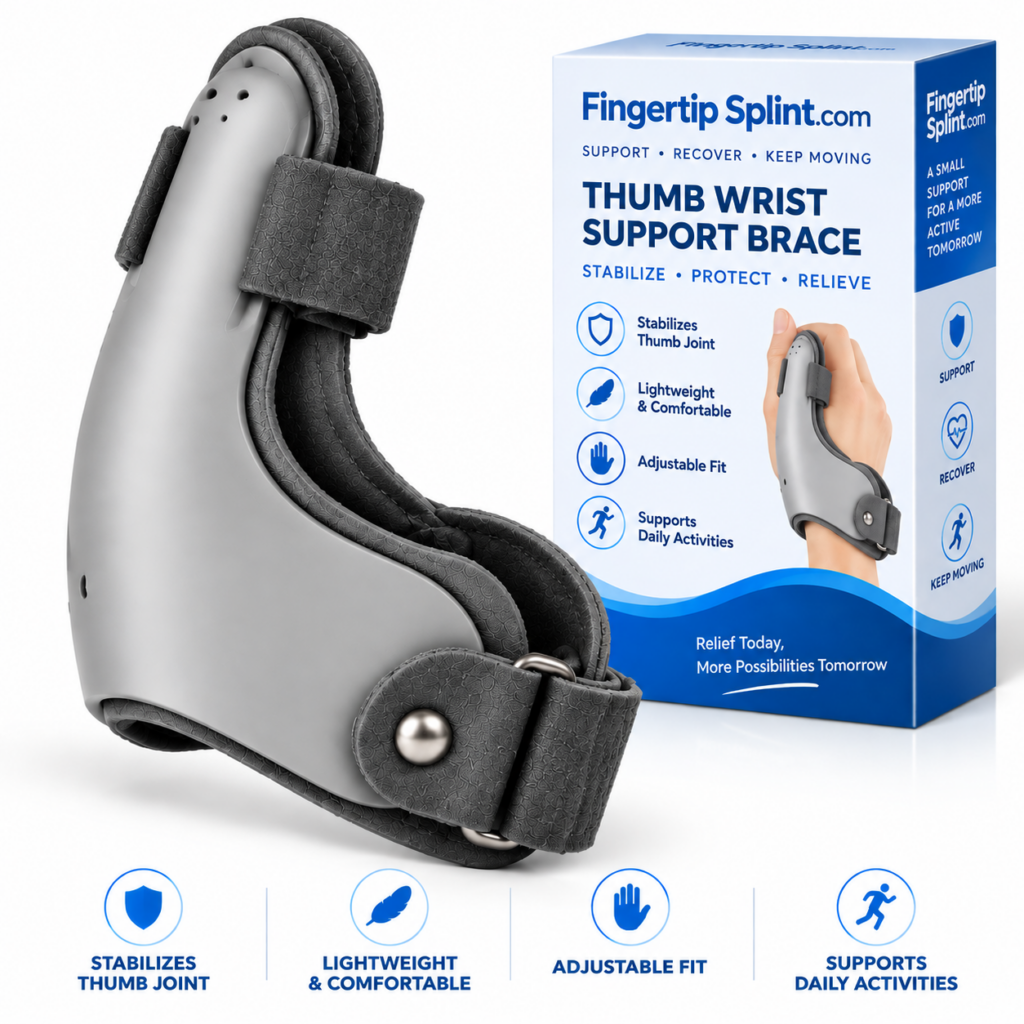
What This Everyday Use Guide Covers
- Quick Answer
- What Is a Thumb Wrist Brace?
- Why Daily Activities Can Feel Different
- 3D Interactive: Everyday Hand Movement
- Interactive: Daily Activity Explorer
- Typing With a Thumb Wrist Brace
- Using a Smartphone
- Writing and Studying
- Household Activities
- Cooking and Food Preparation
- Driving and Travel
- Exercise and Physical Activities
- Comfort During Long Periods of Wear
- How to Adapt Daily Activities
- Activity vs Brace Design Table
- Interactive: Movement Demand Checker
- Product Spotlight
- Can You Do Everything While Wearing a Brace?
- Common Mistakes
- What to Know Before Wearing One All Day
- What Should a Healthcare Professional Consider?
- Quick Tips
- FAQ
- Conclusion
Quick Answer: Can You Use a Thumb Wrist Brace During Everyday Activities?
A thumb wrist brace may support the thumb and wrist during everyday activities, but its effect on movement depends on the brace’s design, coverage, fit, and structure. Activities requiring fine thumb motion, gripping, bending, or wrist movement may feel different while wearing it.
If you want the product features first, the reference thumb wrist support brace explained covers features, fit, and general uses in detail. This article focuses specifically on how a thumb wrist brace fits into everyday life.
What Is a Thumb Wrist Brace?
This section provides a brief orientation. For the full explanation of features and design, see the reference linked above.
Thumb Support
The brace includes the thumb in its support structure. The thumb sits within the thumb opening and is positioned according to the manufacturer’s intent.
Wrist Support
The design may extend onto the wrist to provide a structural anchor for the thumb support. Coverage varies between designs.
Hand / Palm Coverage
The brace may contact the palm or back of the hand. This helps connect the thumb support to the wrist support.
Thumb Opening
The opening through which the thumb passes. Size and shape affect positioning and comfort.
Support Body
The material that forms the physical structure. May be flexible, semi-rigid, or structured.
Fastening and Adjustment
Straps or closures secure the brace. The fastening system affects how the brace fits and stays in position.
Important: Different thumb wrist brace designs provide different levels of coverage and movement restriction. The brace’s characteristics interact with everyday activities in different ways.
Why Daily Activities Can Feel Different
Everyday tasks require combinations of thumb and wrist movement. A brace can change how these movements feel because of its coverage, thickness, support structure, fastening, flexibility, and fit.
Thumb Opposition
Bringing the thumb across the palm to meet the fingers. Used in gripping and holding objects.
Pinching
Pressing the thumb against a finger. Used in fine tasks like picking up small objects or turning pages.
Gripping
Wrapping the thumb and fingers around an object. Used in holding a pen, phone, or cup.
Finger Movement
Independent finger movement. Used in typing, tapping, and fine manipulation.
Wrist Flexion and Extension
Bending the wrist forward and backward. Used in many daily tasks and typing.
Rotation and Fine Motor Control
Wrist rotation and precise finger control. Used in writing, phone use, and detailed work.
Important concept: Support and freedom of movement can involve trade-offs depending on the design. Different braces restrict movement differently. Don’t assume that every brace restricts movement equally.
How a Thumb Wrist Brace Interacts With Everyday Hand Movement: 3D Interactive
This interactive shows the key areas a thumb wrist brace interacts with during everyday activities. Tap each area to see what it contributes.
Interactive 3D: Everyday Hand Movement
Tap each area to explore its role
Thumb
The thumb-support section contacts and positions the thumb. During everyday activities, the brace may influence how freely the thumb moves. Some designs allow more thumb movement than others, depending on the support structure and thumb opening.
Grip → Pinch → Type → Write → Hold → Reach
Interactive: Daily Activity Explorer
Select an activity to see what to consider. This tool produces “things to consider” — not a medical clearance for any activity.
Daily Activity Explorer
Choose an activity to see what to consider.
- Wrist position: Consider whether the brace affects your natural wrist posture.
- Finger freedom: Consider whether fingers can reach keys comfortably.
- Brace bulk: Consider whether the brace adds bulk that affects keyboard use.
- Comfort: Consider comfort over extended typing sessions.
- Breaks: Consider taking comfort breaks during long typing sessions.
Typing With a Thumb Wrist Brace
Typing is one of the most common activities where a thumb wrist brace may affect movement. Understanding what to consider helps evaluate whether the brace works for you during typing.
What to Consider
- Keyboard position
- Wrist posture
- Thumb movement
- Brace thickness
- Extended typing sessions
- Comfort breaks
Important
A brace is not intended to improve typing performance. The relevant question is whether the brace allows you to type with reasonable comfort while providing the intended support. Follow the manufacturer’s intended-use instructions.
Using a Smartphone
Smartphone use is another common activity where a thumb wrist brace may affect movement. The same brace may feel different depending on whether the thumb is actively reaching or simply stabilizing the phone.
What to Consider
- Two-handed use
- One-handed thumb scrolling
- Holding the phone
- Reaching across the screen
- Texting
- Gaming
Interesting Angle
If the thumb is stabilizing the phone, the brace may feel different than when the thumb is actively reaching across the screen. Consider how you typically use your phone and whether the brace allows those movements.
Writing and Studying
Writing and studying involve sustained thumb positioning and grip. A brace may change how these movements feel during extended sessions.
What to Consider
- Pen grip
- Thumb positioning
- Writing for extended periods
- Hand fatigue
- Brace bulk
- Desk positioning
Why This Matters
Writing is a common activity where people evaluate whether a brace works for them. The relevant consideration is whether the brace allows the grip and finger movement needed for handwriting while providing the intended support.
Household Activities
Household activities involve a range of hand movements. Some tasks may be easier to adapt than others, depending on the brace design and the task.
Folding Clothes
Involves light pinching and manipulation. Consider whether the brace allows the finger movements required.
Carrying Lightweight Items
Involves gripping. Consider whether the brace allows a secure grip and stays positioned during carrying.
Opening Drawers
Involves pulling and gripping. Consider whether the brace affects your ability to grip and pull.
Organizing Objects
Involves fine finger movement and positioning. Consider whether the brace allows the required dexterity.
Cleaning
May involve gripping, twisting, or repetitive movement. Consider whether these movements are comfortable with the brace on.
Handling Small Objects
Involves fine motor control. Consider whether the brace allows the movements required for small objects.
Important: Tasks involving strong gripping or twisting may place different demands on the hand. Consider whether the brace is appropriate for these tasks, and follow the manufacturer’s intended-use guidance.
Cooking and Food Preparation
Cooking involves a variety of hand movements. Some considerations are practical; others relate to safety.
What to Consider
- Holding utensils
- Opening containers
- Cutting food
- Mixing
- Washing dishes
Safety Note
A support brace should not be treated as protection from knives, heat, chemicals, or other kitchen hazards unless the specific product is explicitly designed and rated for that purpose.
Driving and Travel
Driving is a high-intent practical question. This section provides a framework for evaluating whether a brace is appropriate for driving.
What to Consider
- Steering-wheel grip
- Thumb movement
- Wrist movement
- Brace bulk
- Emergency control of the vehicle
- Whether the brace interferes with vehicle controls
Important
This article does not make a universal statement about whether someone can or cannot drive with a brace. If the brace affects your ability to grip, steer, operate controls, or respond quickly, don’t assume it is appropriate for driving. Follow applicable laws, professional advice, and vehicle requirements.
Exercise and Physical Activities
Physical activities place varying demands on the hand. This table describes movement demand and what to consider for each activity type.
| Activity | Movement Demand | What to Consider |
|---|---|---|
| Walking | Low | Comfort and fit |
| Light daily movement | Moderate | Thumb and wrist mobility |
| Gym gripping | High | Grip and brace compatibility |
| Cycling | Moderate to high | Handlebar grip and wrist position |
| Heavy lifting | High | Load and support requirements |
| Repetitive gripping | High | Fatigue and comfort |
Important: A brace does not automatically make any activity safe. Consider whether the activity is appropriate for the brace’s intended use and your specific situation.
Comfort During Long Periods of Wear
Comfort during extended wear is one of the most practical concerns for daily brace use. Understanding what comfortable fit usually means helps evaluate whether a brace is working for you.
Comfortable Fit Usually Means
- Secure but not excessively tight
- No persistent pressure points
- Fingers remain comfortably free where the design allows
- No problematic rubbing
- No significant numbness or tingling
- No unusual discoloration
Warning Signs — Stop and Reassess
- Numbness
- Tingling
- Significant discoloration
- Persistent pain caused by the device
- Excessive pressure
- Skin irritation that worsens
Important: If concerning symptoms occur, remove the brace and follow appropriate professional or manufacturer guidance. Do not simply tighten or continue to wear the brace and hope the symptoms resolve.
How to Adapt Daily Activities
Instead of simply wearing the brace and continuing normally, adapting how you approach activities can help. Five practical principles:
1. Change the Way You Grip
Consider how you grip objects. A different grip position may be more comfortable with the brace.
2. Use Both Hands When Appropriate
For tasks where one-handed grip is difficult, using both hands may reduce strain on the braced hand.
3. Keep Frequently Used Objects Within Easy Reach
Reducing stretching and reaching may make daily activities more comfortable.
4. Avoid Unnecessary Repetitive Movements
Where possible, alternate hands or take breaks to reduce strain.
5. Check Comfort During Longer Activities
For activities that last a while, check the fit and comfort periodically. Reassess if the brace shifts or causes discomfort.
Activity vs Brace Design Table
This table describes what design features to consider based on the demands of the activity. It is a comparison framework, not a recommendation.
| Activity Demand | Design Feature to Consider |
|---|---|
| Fine thumb movement | Thumb opening and movement space |
| Typing | Low-profile construction |
| Writing | Finger and thumb mobility |
| Grip-heavy tasks | Support structure and secure fit |
| Longer wear | Material and pressure distribution |
| Frequent adjustment | Accessible fastening |
| Wrist-sensitive activities | Wrist coverage and flexibility |
| Two-handed activities | Overall bulk and mobility |
Interactive: Movement Demand Checker
Select a movement demand to see what to consider. This tool produces a checklist, not a medical recommendation.
Movement Demand Checker
Choose a movement demand to see what to consider.
- Coverage: Consider whether the brace covers areas that need to move for fine tasks.
- Mobility: Consider whether the thumb and fingers can move freely for precision.
- Bulk: Consider whether the brace adds bulk that affects fine movement.
- Fastening: Consider whether straps interfere with fine movements.
- Comfort: Consider comfort during activities requiring precision.
- Interference: Consider whether the brace interferes with the specific task.
Product Spotlight: Evaluating a CMC Thumb-Wrist Brace for Everyday Activities
After understanding how a brace fits into daily activities, here is a specific product to examine. The 1 Pcs Thumb Wrist Support Brace CMC Thumb Spica Splint is one example of a CMC-focused thumb-wrist brace. Evaluate it using the same framework covered in this article.
Thumb Wrist Support Brace
- CMC-focused design
- Thumb coverage
- Wrist coverage
- Support structure
- Adjustable fastening
Evaluating for Everyday Activity Use
Thumb and Wrist Coverage
Review the thumb and wrist coverage characteristics. Consider how the coverage interacts with the movements your daily activities require.
CMC-Focused Design
The design is oriented around the thumb base and CMC region. Consider whether this matches your intended support area.
Overall Construction
Review the support structure and materials described. Consider whether the construction seems appropriate for your intended daily activities.
Adjustment
Review the adjustment system. Consider whether the straps allow the fit to be customized for comfort during extended wear.
Fit
Review the sizing information. Follow the manufacturer’s sizing instructions and compare your measurements against the size chart.
Product Specifications
Review the full product description. Consider whether the specifications match your daily activity requirements.
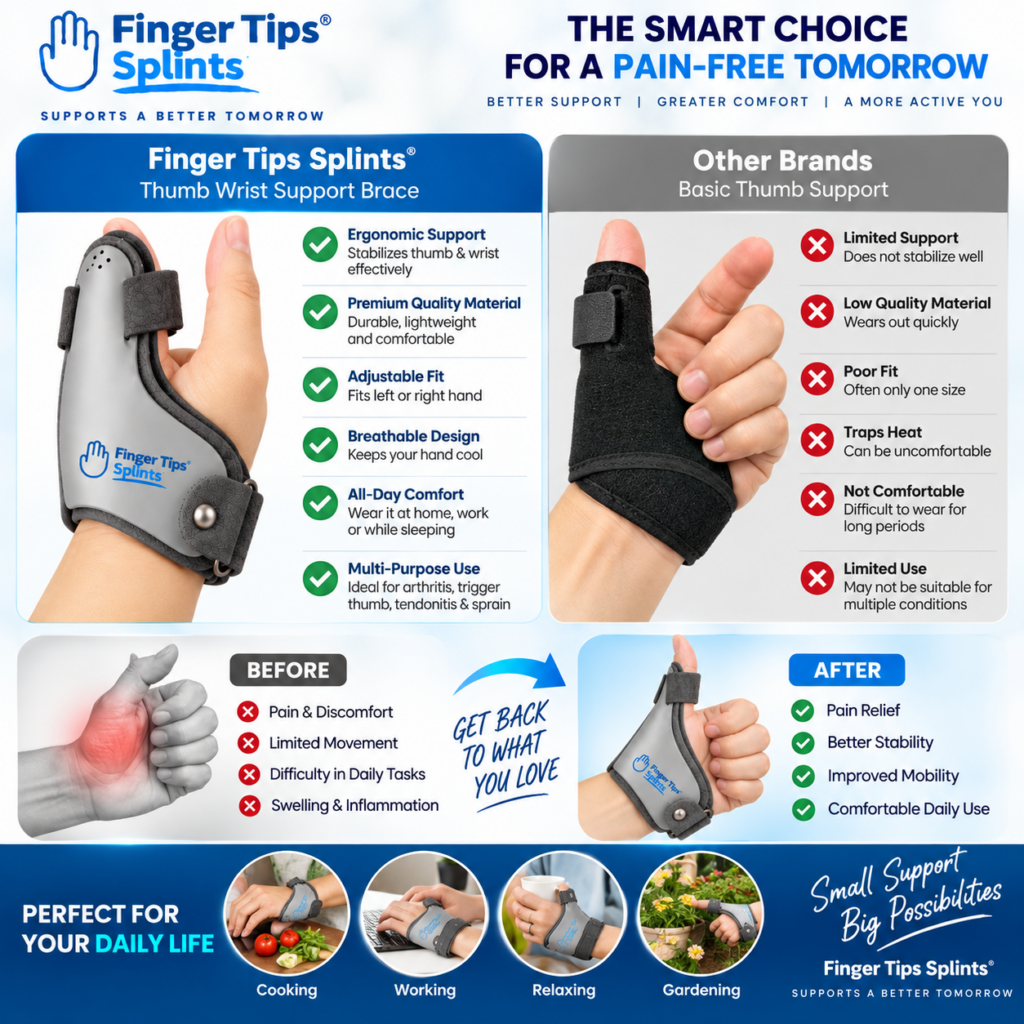
This view shows the support structure of a CMC-focused thumb-wrist brace. Notice the thumb support, wrist extension, and fastening system. Coverage and design interact with how the brace fits into daily activities.
Can You Do Everything While Wearing a Thumb Wrist Brace?
Activity compatibility depends on the specific brace, the task, and the individual situation. This section organizes activities into three general categories for practical consideration.
Usually Easier to Consider
Activities with relatively low physical demand. These may be more straightforward to perform with a brace, depending on the design and fit.
May Require Adjustment
Typing, writing, phone use, household tasks. These may require adapting how you approach the activity.
Require Extra Caution
Heavy gripping, lifting, contact activities, tasks involving sharp, heat, or chemical hazards, or anything where the brace interferes with control.
Key point: Activity compatibility depends on the specific brace, the task, and the individual situation. There is no universal answer to which activities are appropriate while wearing a brace.
Common Mistakes
These mistakes come up frequently when people use thumb wrist braces for daily activities. Avoiding them improves the experience.
A brace isn’t automatically protective equipment for every hazard.
Check: the specific product’s intended use and any safety limitations.
More compression isn’t automatically better.
Check: follow the manufacturer’s adjustment instructions.
If an activity becomes awkward, reassess the fit and task.
Check: whether the brace allows the movements required.
Not every brace is designed for every activity.
Check: the manufacturer’s stated intended use.
Coverage and structure vary between products.
Check: the specific product’s coverage and design.
Persistent numbness, tingling, discoloration, or worsening discomfort shouldn’t simply be ignored.
Check: remove the brace and seek appropriate advice if symptoms persist.
Construction and fit matter more than appearance alone.
Check: the specifications and fit information.
The manufacturer’s instructions are specific to the product.
Check: the product documentation before use.
What Should You Know Before Wearing One All Day?
This checklist helps you prepare for wearing a thumb wrist brace during extended daily use.
Before Daily Wear, Check:
What Should a Healthcare Professional Consider?
This section is written with an EEAT (Experience, Expertise, Authoritativeness, Trustworthiness) perspective. It does not provide individualized medical advice.
Location of Symptoms
Where the symptoms are located helps determine what type of support may be appropriate.
Type of Activity
The activities the person needs to perform influence the appropriate support design.
Required Movement
What movements need to be supported or restricted affects the design choice.
Existing Injury or Condition
The presence and nature of an injury or condition affect the appropriate approach.
Desired Support
The level and type of support needed depends on the specific situation.
Fit
Fit affects positioning, comfort, and how the brace functions.
Whether Immobilization Is Actually Needed
Some situations may benefit from immobilization; others may not.
Whether Another Device May Be Appropriate
A professional can help determine whether another type of device may be more appropriate.
Important: A generic brace is not automatically treatment for a specific medical condition. Persistent or significant symptoms should be evaluated by an appropriate healthcare professional.
Warning Signs That Warrant Professional Assessment
- Severe or worsening pain
- Significant swelling
- Visible deformity
- Major loss of movement
- Persistent numbness or tingling
- Concerning skin or circulation changes
- Symptoms that are not improving
For general information about thumb and hand conditions, see the Mayo Clinic overview of thumb arthritis. For broader hand anatomy and condition information, the Cleveland Clinic hand anatomy resource provides useful context. For an orthopedic perspective, the AAOS thumb arthritis library is a widely referenced resource. For general public health information, the NHS hand pain guidance offers a practical overview. Additional medical reference information is available through MedlinePlus hand injuries and disorders. For clinical and anatomy-focused context, Johns Hopkins Medicine hand conditions provides further reading. General educational context is also available through WebMD’s overview of thumb arthritis and Healthline’s thumb arthritis information. For peer-reviewed literature, NCBI PubMed Central hosts open-access research where appropriate. For a broader orthopedic reference, Orthobullets provides structured clinical summaries.
Important: This article does not provide individualized medical advice. Always consult an appropriate healthcare professional regarding your specific situation.
7 Quick Tips for Daily Brace Use
Frequently Asked Questions
This depends on the specific brace and the activity. Some braces are designed to accommodate everyday activities, while others may be more structured for specific purposes. The key question is whether the brace allows the movements required for the activity while providing the intended support. Comfort and usability vary substantially between people and designs. Follow the manufacturer’s intended-use instructions and consider whether the activity is appropriate for the brace’s design.
It depends on the specific brace design. Typing involves repeated finger and thumb movements. Consider whether the brace allows the movements needed for keyboard use, whether it adds bulk that interferes with typing, and whether wrist coverage affects hand positioning. A lower-profile design may be more compatible with typing than a more structured one. Consider taking comfort breaks during long typing sessions. Follow the manufacturer’s intended-use instructions.
This depends on the specific brace design and how it fits. Writing involves sustained thumb positioning and grip. Consider whether the brace allows the pen grip you need, whether it contacts the palm in a way that affects handwriting, and whether it allows the finger movement required. Brace bulk and thumb mobility are key considerations. Follow the manufacturer’s intended-use instructions.
This depends on the specific brace design and how you use your phone. If the thumb is stabilizing the phone, the brace may feel different than when the thumb is actively reaching across the screen. Consider whether the brace allows the thumb movements required for tapping, swiping, and texting. Consider whether one-handed or two-handed use is more comfortable. Follow the manufacturer’s intended-use instructions.
This is not a question with a universal answer. If the brace affects your ability to grip, steer, operate controls, or respond quickly, don’t assume it is appropriate for driving. Consider whether the brace affects steering-wheel grip, whether it interferes with vehicle controls, and whether it allows the movements needed for emergency response. Follow applicable laws, professional advice, and vehicle requirements. If unsure, err on the side of caution.
A brace should be secure but not excessively tight. More compression is not automatically better. A comfortable fit usually means the brace stays positioned without creating persistent pressure points or causing numbness, tingling, or significant discoloration. If concerning symptoms occur, remove the brace and follow appropriate professional or manufacturer guidance rather than simply tightening or continuing to wear it.
Seek professional advice if you experience persistent numbness, tingling, significant discoloration, escalating pain, or other concerning symptoms from the brace. Also seek guidance if symptoms are not improving, if you have a significant injury, visible deformity, substantial swelling, or major movement loss, or if you are uncertain whether the brace is appropriate for your situation. A brace is a support device, not a diagnosis or a substitute for professional assessment when needed.
Conclusion: Adapt Activities, Not Just the Brace
A thumb wrist brace can be used during everyday activities, but its effect on movement depends on the brace’s design, coverage, fit, and structure. Different activities place different demands on the thumb and wrist. Understanding those demands helps evaluate whether a brace is suitable for a particular task.
This guide has covered how a thumb wrist brace interacts with everyday activities such as typing, phone use, writing, household tasks, cooking, driving, and exercise. It has also covered comfort during extended wear, how to adapt daily activities, and what to consider before wearing a brace all day. The goal has been to provide a practical framework for living and functioning with a thumb wrist brace during everyday tasks.
Looking for a CMC-Focused Thumb-Wrist Support?
Review the product’s coverage, design, fit, adjustability, and everyday activity characteristics against the framework in this guide. The 1 Pcs Thumb Wrist Support Brace CMC Thumb Spica Splint is one example to evaluate for everyday use.
View the Thumb Wrist Support BraceNeed information about other thumb and hand support products? Explore the FingerTipSplint shop. For general questions, see the FingerTipSplint FAQ. For B2B inquiries, see the medical finger splint supplier page or request a quote.