
How a Sleeve-Style Thumb Splint Fits Into Everyday Activities
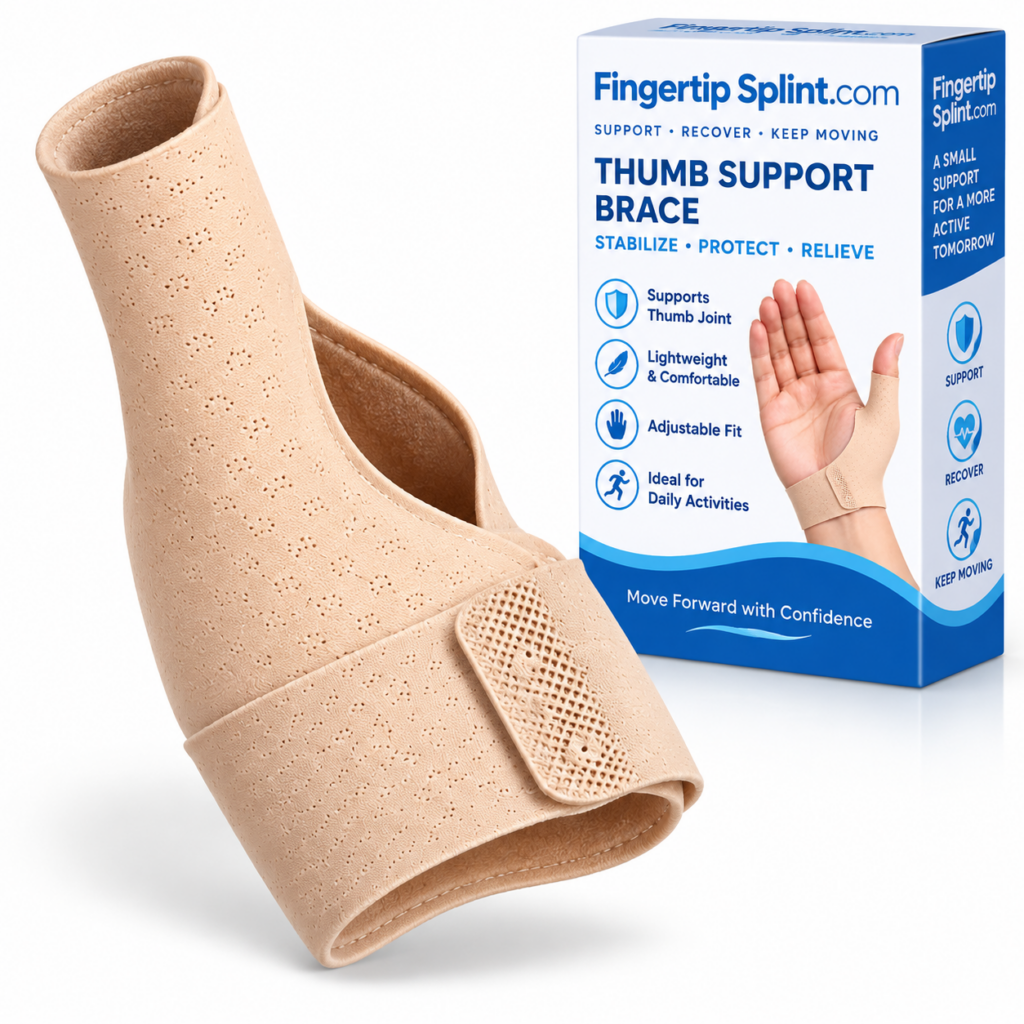
Support should fit into life, not stop it. If you need thumb support, you still have to type, write, use your phone, study, read, travel, and handle everyday tasks. This guide explains how a sleeve-style thumb splint interacts with those activities — what to expect, what to check, and how to evaluate whether the design works for your routine.
What This Guide Covers
- Quick Answer
- What “Everyday Use” Actually Means
- How Sleeve-Style Designs Interact With Movement
- 3D Interactive: A Day With a Sleeve Splint
- Studying and Writing
- Typing and Laptop Use
- Smartphone Use
- Reading
- Travel
- Light Household Activities
- Work and Desk Activities
- Exercise and Physical Activities
- Comfort During Longer Wear
- Adjusting the Splint During Activities
- Interactive Daily Activity Explorer
- Activity-by-Activity Comparison
- Common Everyday Mistakes
- Product Spotlight
- When Everyday Activity Isn’t Appropriate
- Before, During, After: A Reassessment Framework
- Professional Guidance
- FAQ
- Conclusion
Quick Answer: Can You Wear a Thumb Splint During Everyday Activities?
A sleeve-style thumb splint can potentially be incorporated into activities such as typing, writing, smartphone use, reading, and light tasks, depending on its construction and fit. The important factors are thumb mobility, coverage, comfort, and whether the activity requires movements the device restricts.
If you need the foundational definition of what a sleeve-style thumb splint is, the reference Thumb Support Sleeve Splint: What Is It and How Does It Work? covers that ground. This article focuses specifically on how the design interacts with real-world everyday activities.
What Does “Everyday Use” Actually Mean?
“Everyday use” is not one category. Everyday activities place different demands on the thumb, and understanding these categories helps evaluate whether a sleeve-style product is appropriate for each one.
Fine-Motor Activities
- Writing
- Typing
- Smartphone use
- Opening small containers
- Handling small objects
Low-Movement Activities
- Reading
- Watching videos
- Studying
- Desk work
Repetitive Activities
- Keyboard use
- Mouse use
- Phone scrolling
- Repeated tapping or swiping
Light Physical Activities
- Carrying lightweight objects
- Basic household tasks
- Organizing items
- Handling personal belongings
Important distinction: A sleeve designed for routine support should not automatically be assumed appropriate for high-impact, high-force, or hazardous activities. Sports, heavy lifting, tools, and manual work require additional consideration. A support product is not automatically protective equipment.
How Sleeve-Style Thumb Splints Interact With Movement
The interaction between a sleeve-style thumb splint and any activity comes down to three elements working together. Understanding this framework helps you evaluate whether a specific activity is likely to be practical.
Thumb Mobility
How freely the thumb can move while wearing the splint. Depends on material, thickness, coverage, and structure.
Support
How the product stays positioned and provides physical support. Depends on fit, material, coverage, and any fastening.
Activity Demand
How much thumb movement, force, and repetition the activity requires. Different activities place different demands on the thumb.
Practical implication: If the activity demand is high and the splint restricts the movement required, the activity may feel difficult or uncomfortable. If the activity demand is low and the splint provides support without restricting needed movement, the activity may feel natural. Match the splint to the activity.
For a deeper look at how sleeve-style designs interact with movement, the reference Thumb Sleeve Splints Explained: Design, Fit and Everyday Uses covers the topic in more detail.
A Day With a Sleeve-Style Thumb Splint: 3D Interactive
This interactive timeline shows how a sleeve-style thumb splint might interact with activities throughout an ordinary day. Tap each point to see what to consider.
Interactive 3D: A Day With a Sleeve Splint
Tap each point in the day to see what to consider
MORNING
Getting dressed
STUDY
Writing notes
LAPTOP
Typing
PHONE
Smartphone
AFTERNOON
Travel
EVENING
Light household
Morning — Getting Dressed
Thumb movement: Fastening buttons, adjusting clothing, handling zippers.
Contact area: The sleeve contacts the thumb and hand area.
Fit check: Confirm the sleeve is positioned correctly before starting the day.
Activity demand: Low to moderate.
Studying and Writing
Writing and studying involve gripping pens, turning pages, holding notebooks, writing for extended periods, and repositioning the hand. Writing may feel different while wearing a sleeve-style thumb splint because the thumb participates in grip and object positioning.
What Writing Requires
- Thumb positioning during grip
- Pen or pencil pressure
- Fine hand movement
- Sustained grip over time
- Repositioning between tasks
Practical Tips
- Check that the sleeve isn’t interfering with the grip
- Avoid excessive tightening
- Take a comfort check after extended writing
- Follow manufacturer instructions
- Test with a short writing session first
Realistic expectation: Not everyone will find writing equally comfortable with a sleeve-style splint. The experience depends on the specific design, fit, and how the thumb participates in your writing style. Test with a short writing session before relying on the splint for extended writing.
Typing and Laptop Use
Typing involves repeated thumb movement, keyboard interaction, trackpad use, mouse use, and prolonged sessions. A sleeve-style design may be less disruptive than a bulky structured device, but actual usability depends on the specific design.
Interactive: Typing Check
Complete the short typing session, then check each item.
Typing for 5–10 minutes
Typing for longer periods
For a deeper look at how fit affects typing comfort, the reference thumb sleeve splint fit and coverage guide covers the topic in more detail.
Smartphone Use
Smartphone use is one of the most thumb-heavy everyday activities. Scrolling, typing messages, tapping, swiping, gaming, and browsing all involve repeated thumb movement.
Common Smartphone Activities
- Scrolling through feeds
- Typing messages
- Tapping buttons and links
- Swiping between screens
- Playing games
- Browsing websites
One-Handed vs Two-Handed Use
- One-handed: greater thumb reach required; the thumb moves across a wider range
- Two-handed: potentially less thumb strain from reaching; different grip pattern
- Neither is medically superior — the right approach depends on your habits and comfort
Phone size also affects thumb demands. A larger phone may require more thumb reach, which can affect how the splint interacts with your phone use. Consider your typical phone size and how you hold it.
Reading
Reading involves holding a paperback, holding a tablet, turning pages, adjusting grip, and using an e-reader. The size and weight of the object can affect thumb demands.
Holding a paperback
Holding a tablet
Turning pages
Adjusting grip
Using an e-reader
Repositioning during reading
Reading is generally a low-demand activity for the thumb, but the sustained holding position may reveal fit issues that are less noticeable during shorter activities.
Travel
Travel combines multiple activities in an unpredictable sequence. You may carry a phone, handle luggage, use tickets or passports, hold a travel bag, navigate on a phone, and sit for long periods.
Travel Activities to Consider
- Carrying a phone
- Handling luggage
- Using tickets and passports
- Holding a travel bag
- Navigating on a phone
- Sitting for long periods
Practical Considerations
- Portability and storage
- Easy application and removal
- Comfort across changing activities
- Practical care requirements
- Adjustability during the day
Important distinction: Wearing a support device doesn’t automatically make an activity safe. For heavy luggage or demanding manual tasks, consider whether the device is actually appropriate for that activity. A sleeve-style splint is not automatically protective equipment.
Light Household Activities
Light household activities include opening cabinets, holding lightweight dishes, folding clothes, organizing items, light cleaning, and preparing simple items. Activities involving gripping, twisting, and force place different demands on the thumb than desk-based activities.
Common Light Household Tasks
- Opening cabinets
- Holding lightweight dishes
- Folding clothes
- Organizing items
- Light cleaning
- Preparing simple items
What to Check
- Does the sleeve stay positioned during grip changes?
- Does it remain comfortable during light handling?
- Is the coverage appropriate for the handling area?
- Does the activity require movements the sleeve restricts?
Work and Desk Activities
Work and desk activities involve a combination of typing, mouse use, writing, phone use, reading, and meetings. The thumb demands vary across these activities.
| Activity | Thumb Demand | What to Check |
|---|---|---|
| Typing | Low–moderate | Keyboard access and comfort |
| Mouse use | Low–moderate | Grip and position |
| Writing | Moderate | Pen grip compatibility |
| Phone use | Moderate | Thumb reach and stability |
| Reading | Low | Holding position |
| Meetings | Low | General comfort |
Desk work is often a good test of whether a sleeve-style splint integrates well with your routine. If it works during typing, mouse use, and writing, it may work well across many desk-based tasks.
Exercise and Physical Activities
Exercise and physical activities span a wide range of thumb demands. It is important to separate light movement from high-force activities and contact sports.
Light Movement
Walking, gentle stretching, low-impact activity. A sleeve-style splint may be comfortable depending on fit.
Higher-Force Activities
Lifting, gripping, pulling, pushing. The splint may not be appropriate depending on the specific design and activity.
Contact Sports / Impact Activities
A sleeve-style thumb splint should not automatically be considered protective sports equipment.
Important: A sleeve-style thumb splint is not automatically protective against impact, fractures, sharp objects, heavy loads, or workplace hazards unless the specific product has verified protection ratings. Do not assume the product makes any activity safe.
Comfort During Longer Wear
Comfort can change over time. Rather than claiming a fixed number of hours, this section provides a comfort check you can use during the day.
5-Point Comfort Check
Tap each item as you confirm it.
If there is significant discomfort, numbness, tingling, discoloration, or persistent pain, stop and seek appropriate guidance. A support product should not cause these symptoms. Do not simply tighten the sleeve further.
Adjusting the Splint During Activities
Adjusting the splint during the day should follow the manufacturer’s instructions. Rather than repeatedly tightening, use a structured approach before, during, and after activities.
Before Activity
Check positioning. Confirm the sleeve sits where the manufacturer’s instructions indicate. Check that the fastening is secure.
During Activity
Notice shifting, pressure, discomfort, or movement restriction. If the sleeve needs adjustment, follow the manufacturer’s guidance.
After Activity
Check skin and overall comfort. Note whether the fit changed during activity. Reassess before the next activity.
Important: Do not encourage repeated tightening throughout the day. Tighter is not automatically better. If the sleeve needs frequent adjustment, check sizing, positioning, and whether the design matches the activity.
Interactive Daily Activity Explorer
Tap each activity to see what it demands from the thumb and what to check. This is educational guidance for product evaluation, not a medical recommendation.
Daily Activity Explorer
Tap each activity to see what it demands and what to check
WRITING
Grip and movement
TYPING
Repetition and reach
SMARTPHONE
Thumb-heavy use
READING
Holding and repositioning
TRAVEL
Variable demands
HOUSEHOLD
Grip and handling
DESK WORK
Mixed activity
EXERCISE
Force and impact
Writing
Activity demands: Fine thumb movement, grip, sustained pen pressure.
What to check: Does the sleeve interfere with pen grip? Is the thumb able to perform the movements required? Does comfort hold up during extended writing?
Activity-by-Activity Comparison
This matrix provides a fast reference for how different activities interact with a sleeve-style thumb splint. Values are conceptual and depend on the specific product and individual circumstances.
| Activity | Movement Needed | Repetition | Fit Priority |
|---|---|---|---|
| Reading | Low | Low | Medium |
| Writing | Moderate | Moderate | High |
| Typing | Moderate | High | High |
| Smartphone | Moderate | High | High |
| Travel | Variable | Variable | High |
| Light household work | Moderate | Variable | High |
| Heavy lifting | High | Variable | Very high |
| Contact sports | High | High | Professional / product guidance |
Common Everyday Mistakes
These mistakes come up frequently when people use sleeve-style thumb splints during everyday activities.
More compression isn’t automatically better. Excessive tightness can cause discomfort and concerning symptoms.
Check: adjust for appropriate fit, not maximum pressure.
If the sleeve makes an activity difficult, don’t simply assume you need to tighten it.
Check: whether the design matches the activity requirements.
High-force or impact activities require additional consideration.
Check: the manufacturer’s intended use and any product limitations.
Persistent irritation shouldn’t be ignored.
Check: positioning, material contact, and edges.
Different designs have different coverage and construction.
Check: the specific product’s design characteristics.
Pain, numbness, tingling, discoloration, or worsening symptoms should prompt reassessment.
Check: remove the sleeve and seek appropriate advice if symptoms persist.
Product Spotlight: FingerTipSplint Thumb Support Sleeve Splint
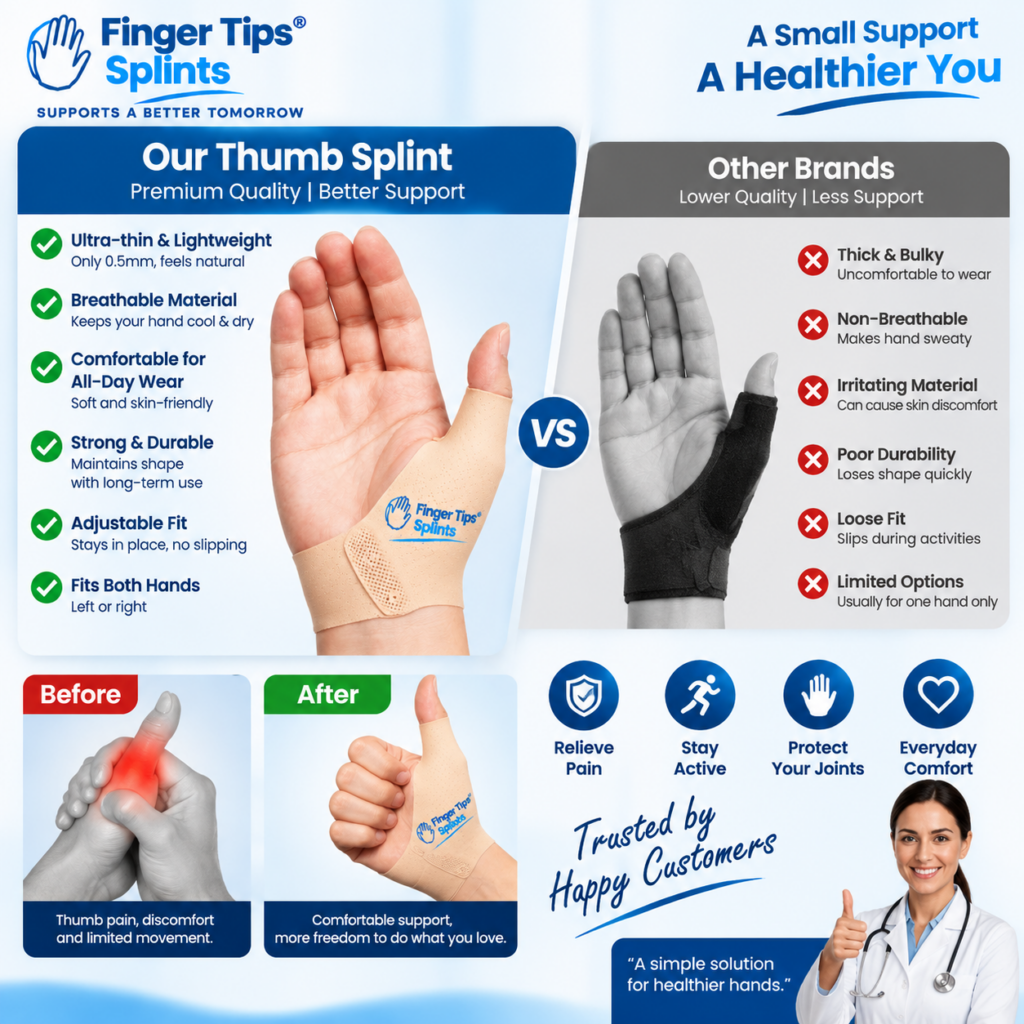
After understanding how sleeve-style designs fit into everyday activities, here is a specific product to examine. The Thumb Support Sleeve Splint is one example of a sleeve-style thumb support product. Evaluate it using the framework taught in this guide.
Thumb Support Sleeve Splint
- Sleeve-style construction designed around the thumb
- Thumb-focused coverage and positioning
- Flexible material design
- Full product specifications available on the product page
Connecting the Product to the Everyday-Use Framework
Sleeve Design
Review the sleeve construction shown on the product page. Check how the design is structured around the thumb and what coverage it provides.
Everyday Profile
Consider the product’s design characteristics relevant to daily activities. Review the material, thickness, and profile descriptions.
Fit
Review the sizing and fit information provided. Compare your measurements against any stated range before relying on adjustment.
Practical Use
Connect verified features to activities such as desk work, writing, phone use, or routine tasks. This does not promise that every user will find it suitable for every activity.
For a broader look at why sleeve-style designs may be chosen for daily wear, the reference Why Choose a Sleeve-Style Thumb Support for Daily Wear covers the topic. For the complete purchasing process, see Thumb Support Sleeve Splint: A Complete Buyer’s Guide.
When Everyday Activity Isn’t Appropriate
Some situations require professional guidance rather than product selection. A sleeve-style splint should not be used as a substitute for appropriate assessment when the underlying situation requires it.
Seek appropriate professional guidance when there is: severe pain, significant swelling, visible deformity, persistent numbness or tingling, substantial loss of movement, worsening symptoms, recent significant injury, or a professional instruction to immobilize the thumb.
In these situations, activity decisions should be based on appropriate professional guidance. Do not rely on a consumer product to determine whether an activity is appropriate.
Before, During, After: A Reassessment Framework
This framework helps you evaluate whether a sleeve-style thumb splint is working well for your activities. It is not a healing timeline — recovery varies substantially depending on the underlying issue.
Before Activity
Fit → Position → Comfort
Confirm the sleeve is positioned correctly and feels appropriate. Check that the fastening is secure and there are no obvious pressure points.
During Activity
Movement → Pressure → Stability
Notice whether the sleeve allows the movement the activity requires. Check for excessive pressure and whether the sleeve stays positioned.
After Activity
Comfort → Skin → Symptoms
Check whether any discomfort developed. Look for skin irritation and any concerning symptoms.
Over time: Ask whether the activity is becoming easier, unchanged, or more uncomfortable. If symptoms are worsening or concerning, seek appropriate assessment.
Professional Guidance
A healthcare professional can help determine whether a sleeve-style thumb splint is appropriate for your specific situation and whether any movement restrictions should be observed.
For authoritative general information about thumb, hand, and wrist conditions, the following resources provide evidence-based content:
- Mayo Clinic for condition overviews and patient education.
- WebMD for general thumb and hand concern overviews.
- Healthline for practical wellness information.
- AAOS OrthoInfo for orthopedic guidance from specialists.
- NHS guide on hand pain for UK-based clinical guidance.
- MedlinePlus hand injuries and disorders for a broad reference library.
- Cleveland Clinic for clear patient-oriented explanations.
- Johns Hopkins Medicine for clinical and research-based perspectives.
- FDA for regulatory context on medical devices.
- NIH for research-based health information.
These resources provide general information and do not replace individualized advice from a qualified healthcare professional.
Frequently Asked Questions
This depends on the sleeve’s coverage, flexibility, fit, and how much thumb movement typing requires. A sleeve-style design may be less disruptive than a bulky structured device, but actual usability depends on the specific design. Test with a short typing session before relying on the splint for extended typing. Check that the splint allows comfortable key access, stays positioned, and does not create excessive pressure.
Many people can write while wearing a thumb sleeve, but this depends on grip compatibility, thumb positioning, and comfort. Writing may feel different because the thumb participates in grip and object positioning. Check that the sleeve doesn’t interfere with the pen grip, avoid excessive tightening, and take a comfort check after extended writing. Test with a short writing session before relying on the splint for extended work.
Smartphone use involves repeated thumb movement, so this depends on the splint’s design and how much thumb movement your phone use requires. One-handed use may require greater thumb reach than two-handed use. Phone size also affects thumb demands. Check whether the splint allows the movements required and whether it interferes with touchscreen contact. Test with your normal phone activities before relying on the splint for extended use.
Studying involves a mix of writing, typing, reading, and desk activities. Each of these places different demands on the thumb. A sleeve-style splint may work for some study activities and less well for others. Check how the splint behaves across your specific study routine — writing, typing, page turning, and phone use. The right balance depends on your specific activities and the product’s design.
Travel involves unpredictable activity demands — carrying a phone, handling luggage, using tickets or passports, holding a travel bag, and navigating on a phone. A sleeve-style splint may be practical for some travel activities depending on its design. However, wearing a support device doesn’t automatically make an activity safe. For heavy luggage or demanding manual tasks, consider whether the device is appropriate for that activity.
Activity type matters. Light movement may be comfortable depending on fit, but higher-force activities and contact sports require additional consideration. A sleeve-style thumb splint should not automatically be considered protective sports equipment. Do not assume the device protects against impact, fractures, sharp objects, heavy loads, or workplace hazards unless the specific product has verified protection ratings.
Signs of interference include shifting during activity, excessive pressure, unexpected movement restriction, numbness or tingling, significant discomfort, or other concerning symptoms. If you notice these, stop the activity and reassess. Check the fit, positioning, and whether the design matches the activity. If symptoms persist, seek appropriate professional advice. Do not simply tighten the sleeve further.
Support Should Fit Into Life, Not Stop It
The usefulness of a sleeve-style thumb splint during everyday activities depends on how its design, fit, and movement characteristics work together with the demands of each activity. Understanding this framework helps you evaluate whether a specific product matches your routine. Activity → Thumb Movement → Splint Interaction → Fit → Comfort → Adjustment → Reassessment
The Bottom Line on Sleeve-Style Thumb Splints and Everyday Activities
A sleeve-style thumb splint is not simply something you wear and forget about. Its usefulness during everyday activities depends on how the design, fit, thumb movement, and activity demand work together. Desk activities may require fine thumb movement. Smartphone use can require repeated thumb motion. Writing depends on grip. Travel involves unpredictable activities. Physical activities may require different support.
The framework in this guide — Activity → Thumb Movement → Splint Interaction → Fit → Comfort → Adjustment → Reassessment — works across activities and helps you evaluate whether a specific product is likely to work for your routine. Test each activity with the splint before relying on it, and reassess after activity to ensure the fit remains appropriate.
If you want to continue exploring within this cluster, the reference Thumb Sleeve Splints Explained: Design, Fit and Everyday Uses covers design fundamentals, and the fit guide Thumb Sleeve Splint Fit Guide: Understanding Coverage and Comfort covers fit in more depth. For a wider reference, explore the full FingerTipSplint blog library.
This article is for general information only and is not a substitute for professional medical advice. Always consult a qualified healthcare provider for diagnosis and treatment of any medical condition.