
Dynamic Finger Extension Trainer: A Buyer’s Guide to Fit and Support
A dynamic finger extension trainer can look simple in a product photo, but the important questions are usually hidden in the details: Where does it sit? How is it adjusted? What provides the extension support? Will it interfere with movement? Is the sizing clear? This guide helps you inspect a product intelligently — before you buy. It focuses on fit, support, adjustability, comfort, materials, everyday use, and product specifications.
What This Buyer’s Guide Covers
- Quick Answer
- What Is a Dynamic Finger Extension Trainer?
- The First Buying Question
- 3D Interactive: Buyer Checklist
- How to Evaluate Fit Before Buying
- Interactive: Fit Checklist
- Understanding Support Before You Buy
- Adjustable vs Fixed Dynamic Trainers
- How Much Support Is Enough?
- Comfort: The Feature Buyers Often Ignore
- Materials & Construction
- Everyday Use Buyer Test
- Interactive: Would This Design Fit Your Routine?
- Product Specification Checklist
- Product Spotlight
- Common Buying Mistakes
- Buyer Comparison Matrix
- 5-Minute Buyer Check
- When Should You Get Professional Advice?
- Quick Tips
- FAQ
- Conclusion
Quick Answer: How Should Buyers Evaluate a Dynamic Finger Extension Trainer?
Evaluate the intended finger or joint, sizing method, support direction, adjustment system, contact points, movement characteristics, materials, comfort, and manufacturer instructions. A good fit should be secure without excessive pressure, while the device’s actual design should match its intended purpose.
If you want the foundational mechanism explanation first, the reference dynamic finger extension splint covers that in detail. This article focuses specifically on what to check before purchasing.
What Is a Dynamic Finger Extension Trainer?
This section provides a quick context for buyers. For a full explanation, see the foundational article linked below.
Dynamic
A design built around interacting with movement. The mechanism responds to changes in finger position.
Finger Extension
Oriented toward the straightening direction of the finger — the opposite of flexion.
Trainer
A product intended for positioning or support during movement or rehabilitation-oriented use.
Support
The device helps maintain, guide, or influence positioning — not necessarily forcing the joint into a position.
For a deeper explanation of the mechanism, the reference Dynamic Finger Extension Splint: What Is It and How Does It Work? covers the topic in detail. For the broader concept, see dynamic extension support.
The First Buying Question: What Are You Actually Looking For?
Before discussing brands or products, establish your requirements. This makes your evaluation much more useful.
Buyer Requirements Checklist
- Finger: Which finger is involved?
- Joint: Which joint or area needs support?
- Movement: Does the design allow or interact with movement?
- Support direction: What type of extension-oriented support does the design provide?
- Adjustability: Can the fit or tension be adjusted?
- Activity: Will it be used during studying, typing, writing, light tasks, or rest?
- Fit: Does the manufacturer provide clear sizing instructions?
Why This Matters
Without clear requirements, it is easy to be swayed by marketing claims. Knowing exactly what you need helps you evaluate whether a specific product’s specifications match your situation. It also helps you recognize when professional guidance may be appropriate.
Dynamic Finger Extension Trainer Buyer Checklist: 3D Interactive
This interactive shows the eight checkpoints to review before buying. Tap each checkpoint to see what to check.
Interactive 3D: 8 Buyer Checkpoints
Tap each checkpoint to see what to check
1. Finger Compatibility
Is the device designed for the intended finger? Never assume that a splint designed for one finger automatically fits or functions appropriately on another. Finger dimensions and joint positions differ between fingers.
CHECK BEFORE YOU BUY
How to Evaluate Fit Before Buying
This is the largest section of the article. Online buyers do not have the advantage of physically trying a product first, so inspecting sizing information carefully is essential. Fit is the most important practical factor for a dynamic trainer.
Check 1 — Measurements
Look for specific measurements in the product description. The exact measurement method varies by product, but common measurements include finger circumference, finger width, finger length, joint location, and product dimensions.
Buyer tip: If a product listing does not provide specific measurements, that is a reason to ask the manufacturer for more information before purchasing. Do not assume that “one size fits all” applies to finger splints.
Check 2 — Sizing Chart
Do not simply look for “Small / Medium / Large.” Instead, ask: what measurement determines the size? A proper sizing chart should tell you exactly what to measure and how to compare your measurement against the size options.
Important: Sizing systems differ between products. Do not assume that your usual ring size corresponds to a splint size. Always use the manufacturer’s sizing instructions for the specific product.
Check 3 — Coverage
Determine whether the product covers the fingertip, middle section, joint area, or multiple finger segments. Coverage should match the product’s stated design and your intended use.
Check 4 — Adjustment
Look for adjustable straps, fastening points, tension adjustment, and positioning adjustment. Adjustability allows the fit to be fine-tuned — but it does not replace the need for correct sizing.
For a detailed look at fit and features, the reference finger extension splint fit guide covers the topic in more detail.
Interactive: Fit Checklist
Select each item you have completed. This is a shopping-education tool, not a medical suitability calculator.
Fit Checklist
Understanding Support Before You Buy
Now we move from fit to mechanical support. Understanding how the device provides support helps buyers evaluate whether it matches their needs.
Key Support Components
- Support structure: The physical component that contacts and supports the finger
- Dynamic element: The component that allows the design to interact with movement
- Anchor points: Where straps or dynamic components attach
- Directional support: The direction in which the design provides support
Simple Visual Sequence
For a deeper look at how support interacts with movement, the reference adjustable finger extension support covers the topic in detail.
Adjustable vs Fixed Dynamic Trainers
This comparison helps buyers understand the trade-offs between adjustable and more fixed designs. Neither is universally better.
| Feature | Adjustable Design | More Fixed Design |
|---|---|---|
| Fit customization | Usually greater | Usually more limited |
| Tension / position | May be adjustable | May be predetermined |
| User adjustment | Depends on design | Often limited |
| Setup | May require more attention | May be simpler |
| Fit importance | High | High |
| Maintenance | May involve more components | May be simpler |
Key principle: Adjustable does not automatically mean better. A buyer should choose based on the product’s intended design and their requirements — not simply the number of adjustment points.
For a detailed comparison of dynamic and static designs, the reference dynamic vs static finger splints covers the trade-offs in more depth.
How Much Support Is Enough?
This is an important buyer-safety section. Maximum tension does not equal maximum benefit. The three scenarios below illustrate the concept.
Too Loose
- Slipping
- Unstable positioning
- Inconsistent contact
Appropriate (per instructions)
- Secure
- Comfortable
- Intended support
Too Tight
- Pressure
- Discomfort
- Skin irritation
- Numbness or tingling
- Concerning discoloration
Important: If symptoms such as numbness, tingling, significant discoloration, or persistent pain occur, stop using the device and seek appropriate advice. Do not simply tighten or reposition the device repeatedly.
Comfort: The Feature Buyers Often Ignore
Comfort is often overlooked when comparing products, but it directly affects whether the device can be worn as intended. Different contact points and design features affect comfort in different ways.
Contact Points
Where does the device touch the finger? Contact points determine how force is distributed and how the device feels during wear.
Edges
Could rigid edges rub against skin? Edges are a common source of irritation during extended wear.
Straps
Are they adjustable? The fastening system affects how easily the device can be put on and whether it stays secure.
Bulk
Will the device interfere with typing, writing, phone use, or gripping? Consider the profile of the device for your daily activities.
Breathability and Material
Does the construction allow reasonable comfort for its intended use? Check the materials and whether the manufacturer provides care instructions.
Materials & Construction
Materials affect how the device feels, how long it lasts, and how it should be cared for. Product descriptions should provide information about the materials used.
What to Look For
- Support material
- Elastic components
- Metal or spring elements (if present)
- Fabric
- Padding
- Fastening system
- Stitching
- Reinforcement
- Adjustability features
How to Evaluate
Avoid assuming that one material is universally superior. Materials should be evaluated in relation to the support level, flexibility, durability, comfort, and intended use. A well-chosen material for one purpose may not be appropriate for another.
Everyday Use Buyer Test
Everyday usability depends on the device design, fit, and intended use. Before purchasing, consider how the device will interact with your daily activities.
Typing
Consider bulk, range of movement, strap placement, and comfort over extended sessions.
Writing
Consider grip interference and whether the device allows the movement required for handwriting.
Studying
Consider prolonged wear comfort and whether the device stays securely positioned during desk work.
Phone Use
Consider fine motor control and touchscreen access. Some devices may allow the movements required for tapping and swiping; others may not.
Light Household Tasks
Consider stability and whether the activity is appropriate for the device’s intended use.
Rest
Consider positioning and comfort. Overnight use should follow the product’s intended-use instructions or professional guidance rather than being assumed safe.
Important: This section does not promise that the product is suitable for every activity. Everyday usability depends on the specific device, fit, and underlying situation.
Interactive: Would This Design Fit Your Routine?
Select an activity to see what to inspect. This is an educational tool, not a medical recommendation.
Activity Buyer Test
Choose an activity to see what to inspect.
- Bulk: Consider whether the device adds bulk that affects keyboard use.
- Range of movement: Consider whether the device allows the movements needed for typing.
- Strap placement: Consider whether straps interfere with neighboring fingers.
- Comfort: Consider comfort over extended sessions.
- Stability: Consider whether the device stays securely positioned during use.
Product Specification Checklist
This is one of the most useful sections for buyers. A well-documented product page should provide specific information in each of these categories.
Product Identity
- Exact product name
- Intended finger
- Intended support
Size
- Measurements
- Sizing chart
Construction
- Materials
- Support structure
- Dynamic mechanism
Adjustment
- Strap system
- Tension or positioning
- Fastening
Use
- Intended application
- Instructions
- Care requirements
Seller Information
- Manufacturer or supplier information
- Product specifications
- Contact or support information
Red flag: Be cautious when a product page makes dramatic recovery promises but provides very little technical information about the actual device. A credible product page should provide specific information about sizing, materials, mechanism, and intended use.
Product Spotlight: A Dynamic Design Buyers Can Examine
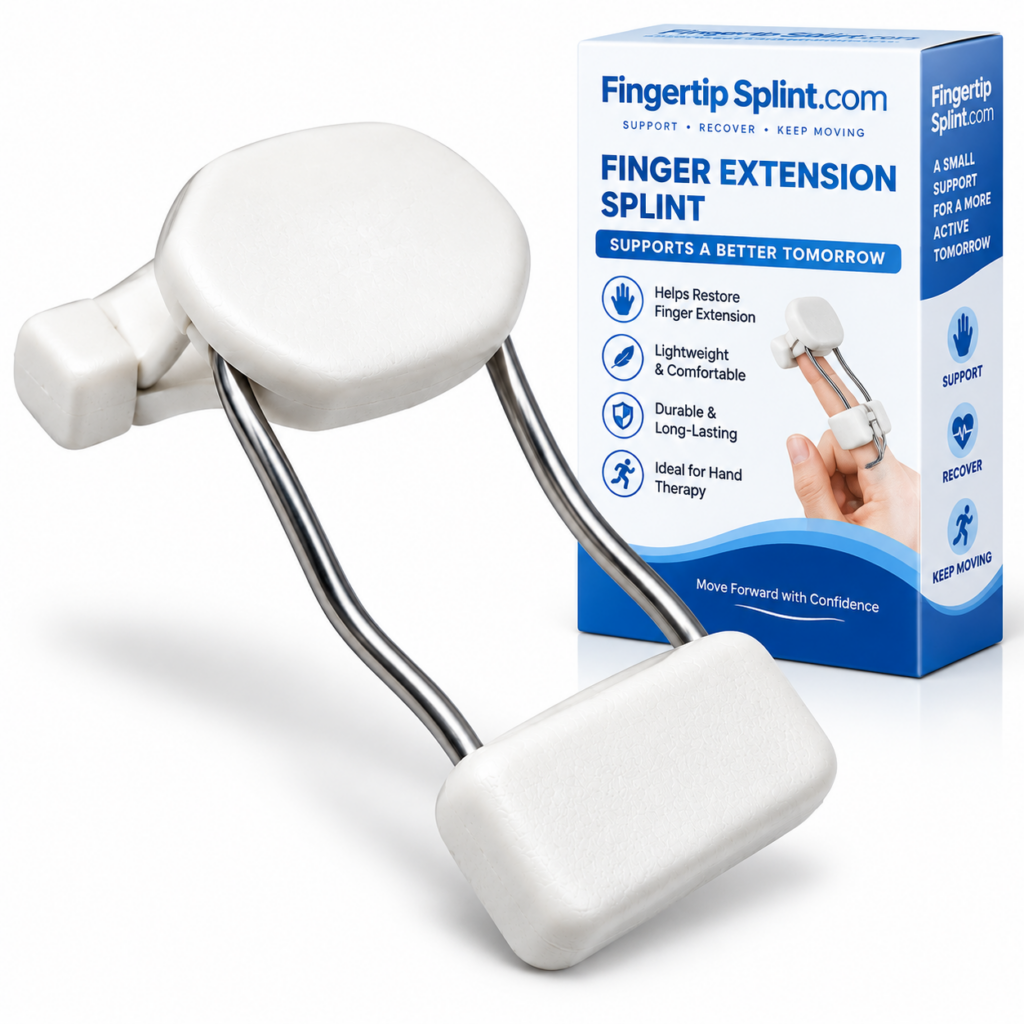
After understanding the buyer criteria, here is a specific product to examine. The Dynamic Finger Extension Splint – Adjustable Finger Rehabilitation Trainer for Joint Support provides an example of an adjustable dynamic finger-extension design. It is presented as a design to evaluate using the same criteria — not as “the best dynamic finger trainer.”
Dynamic Finger Extension Splint
- Dynamic extension-oriented design
- Adjustable structure
- Finger support and positioning
- Rehabilitation-oriented product positioning
- Full product specifications available on the product page
Evaluating the Product Using the Buyer Framework
Design
The product uses a dynamic and extension-oriented structure. This places it in the dynamic-support category, where the design is oriented toward interacting with movement.
Adjustability
The product has an adjustable construction. Check what can be adjusted, how the adjustment works, and whether the manufacturer provides adjustment instructions.
Support
Finger support is incorporated into the design. Review how the support structure contacts the finger and how the dynamic mechanism interacts with movement.
Fit
Check the sizing information provided and compare your measurements against any stated range before relying on adjustment. Correct fit is essential for the mechanism to function as intended.
Everyday Use
Consider whether the design matches your daily activities. Check whether the device allows the movements required for typing, writing, or other tasks.
Specifications
Review the product specifications against the checklist in this guide. Compare the product’s stated features against your requirements.
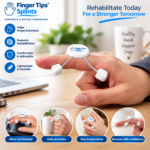
Correct fit involves appropriate positioning, secure fastening without excessive tightness, and comfort during intended use. Always follow the manufacturer’s sizing and adjustment instructions for the specific product.
For a deeper buyer-focused guide, the reference choosing a dynamic finger splint covers selection criteria in more detail.
Common Buying Mistakes
These mistakes come up frequently when buyers purchase dynamic finger extension trainers. Avoiding them improves the outcome.
Product appearance is not sizing information. A device that looks right may not fit correctly.
Check: measure your finger and compare to the manufacturer’s sizing chart.
Dynamic designs can vary significantly. The word alone does not tell you how the device functions.
Check: the specific design characteristics and mechanism.
Adjustment has limits. An adjustable design does not fit everyone.
Check: whether the adjustment range accommodates your finger.
A product designed around one area may not match another.
Check: which finger and joint the product is designed for.
More tension is not automatically better. Excessive tension can cause discomfort and concerning symptoms.
Check: follow the manufacturer’s adjustment instructions.
A device may technically fit but interfere with your routine.
Check: whether the device allows the movements required for your daily activities.
Look for actual specifications, not just marketing terminology.
Check: whether the product page provides specific sizing, materials, and mechanism information.
Pain, numbness, tingling, or concerning discoloration should not be treated as a normal sign that the device is “working.”
Check: remove the device and seek appropriate advice if symptoms persist.
Buyer Comparison Matrix
This feature-based matrix can be used to compare any dynamic finger extension trainer. It focuses on what to check rather than ranking specific products.
| Buyer Factor | What to Check |
|---|---|
| Finger compatibility | Is the device designed for the intended finger? |
| Joint coverage | Which area does it support? |
| Dynamic mechanism | What creates the movement-oriented support? |
| Adjustability | What can actually be adjusted? |
| Size | What measurements are required? |
| Support | How is support delivered? |
| Comfort | Where are the contact points? |
| Materials | What is it constructed from? |
| Activities | Will it interfere with routine tasks? |
| Instructions | Are fitting and use instructions provided? |
| Product information | Are specifications clearly stated? |
How to use this matrix: For each product you are considering, fill in the answer for each factor. Compare the answers. The goal is to identify which design best matches your specific situation — not to find a universally “best” product.
5-Minute Buyer Check
Before Purchasing, Answer These Questions
- Do I know the exact finger and joint? Which finger is involved, and which joint or area needs support?
- Do I have the required measurements? Have I compared my measurements to the manufacturer’s sizing chart?
- Do I understand how the dynamic element works? What creates the movement-oriented support?
- Do I know how the device is adjusted? What can be adjusted, and does the manufacturer provide adjustment instructions?
- Do I understand where it contacts the finger? Where are the contact points, and do they seem appropriate for the intended use?
- Do I know what activities it is intended for? Will the device allow the movements required for my daily activities?
- Are the manufacturer’s instructions clear? Does the product page provide fitting, adjustment, and care instructions?
If several answers are “no,” gather more information before purchasing.
When Should You Get Professional Advice Before Buying?
This section is written with an EEAT (Experience, Expertise, Authoritativeness, Trustworthiness) perspective. It does not provide individualized medical advice, but it does explain situations where professional assessment may be appropriate before purchasing.
Significant Injury
A significant injury warrants professional assessment rather than selecting a support device based on a product description.
Suspected Fracture
A suspected fracture requires professional assessment and is not a situation for self-selecting a splint.
Visible Deformity
Visible deformity warrants professional assessment. A splint should not be used to manage a deformity without professional guidance.
Severe or Worsening Pain
Severe or worsening pain is a sign that warrants professional assessment rather than self-selecting a support device.
Substantial Swelling
Significant swelling affects fit and may indicate an underlying problem that requires professional assessment.
Numbness or Tingling
Numbness or tingling may indicate nerve involvement and should be assessed professionally.
Major Movement Restriction
Significant loss of movement warrants professional assessment to determine the appropriate approach.
Symptoms That Persist
If symptoms are not improving or are worsening, do not simply choose a product online. Seek professional guidance.
Uncertainty About Which Type of Support Is Appropriate
If you are unsure whether a dynamic, static, or another form of support is appropriate, professional assessment can help determine the right approach. A buyer’s guide can explain design differences, but it cannot determine which splint is appropriate for an individual’s specific injury or condition.
Warning Signs That Warrant Professional Assessment
- Severe or worsening pain
- Significant swelling
- Visible deformity
- Major loss of movement
- Persistent numbness or tingling
- Concerning skin or circulation changes
- Symptoms that are not improving
For general information about finger injuries and hand conditions, see the Mayo Clinic overview of finger injuries. For broader hand anatomy and condition information, the Cleveland Clinic hand anatomy resource provides useful context. For an orthopedic perspective, the AAOS hand and wrist conditions library is a widely referenced resource. For general public health information, the NHS hand pain guidance offers a practical overview. Additional medical reference information is available through MedlinePlus hand injuries and disorders. For clinical and anatomy-focused context, Johns Hopkins Medicine hand conditions provides further reading. General educational context is also available through WebMD’s overview of finger injuries and Healthline’s general finger injury information. For peer-reviewed literature, NCBI PubMed Central hosts open-access research where appropriate. For a broader orthopedic reference, Orthobullets provides structured clinical summaries.
Important: This article does not provide individualized medical advice. Always consult an appropriate healthcare professional regarding your specific situation.
Smart Buyer Tips
Quick Buyer Checklist
Before purchasing, check the following. Click each item to mark it as reviewed.
Frequently Asked Questions
Focus on manufacturer measurements rather than generic S/M/L assumptions. Sizing may involve finger circumference, finger width, finger length, joint location, or device-specific measurements. Always use the manufacturer’s sizing instructions because sizing systems differ between products. Do not assume that your usual ring size corresponds to a splint size. Measure according to the manufacturer’s instructions and compare your measurements to the sizing chart.
A correctly fitted trainer should be secure without being excessively tight. It should be positioned according to the manufacturer’s instructions and comfortable enough to wear as intended. Excessive pressure, numbness, tingling, significant discoloration, or persistent pain are signs that the fit or adjustment may need to be reassessed. “Tight” and “well-fitted” are not interchangeable. Follow the manufacturer’s adjustment instructions carefully.
Adjustability is a feature, not a universal quality verdict. An adjustable design may be useful for accommodating different finger dimensions or positioning requirements. However, adjustable does not automatically mean better. A well-fitted simpler design can be more useful than a poorly-fitted adjustable one for its intended purpose. The appropriate choice depends on the specific situation and the product’s intended design.
Check the intended finger and joint, the sizing method, the support direction, the adjustment system, the contact points, the movement characteristics, the materials, the comfort considerations, and the manufacturer instructions. Compare the product’s specifications against your requirements. If the product page does not provide clear information about these factors, consider asking the manufacturer for more details before purchasing.
This depends on the specific design and intended use. Some devices may be compatible with activities like typing, writing, or light tasks; others may not. The key question is whether the activity requires movements the device is designed to support or restrict. Overnight use should follow the product’s intended-use instructions or professional guidance rather than being assumed safe. Check the product documentation and follow professional guidance where applicable.
A well-documented product page should provide specific information about the intended finger, sizing measurements, materials, support structure, dynamic mechanism, adjustment system, fastening system, intended application, use instructions, and care requirements. Be cautious when a product page makes dramatic recovery promises but provides very little technical information about the actual device. A credible product page should help you evaluate whether the device matches your requirements.
Ask a healthcare professional if there is a significant injury, suspected fracture, visible deformity, severe or worsening pain, substantial swelling, numbness or tingling, major movement restriction, or symptoms that persist. Also seek guidance if you are uncertain about which type of support is appropriate. A buyer’s guide can explain design differences, but it cannot determine which splint is appropriate for an individual’s specific injury or condition. Professional assessment can help determine whether a dynamic, static, or another form of support is appropriate.
Conclusion: Fit Comes Before Features
When buying a dynamic finger extension trainer, fit comes before features. A device that looks impressive in a product photo may not match your requirements if the sizing is incorrect, the support direction is not appropriate, or the design interferes with your daily activities. Evaluating the intended finger and joint, the sizing method, the support direction, the adjustment system, the contact points, the materials, and the manufacturer instructions helps you make an informed decision.
This buyer’s guide has provided a practical framework for evaluating products before purchasing. It has covered the first buying question, how to evaluate fit, how to understand support, the trade-offs between adjustable and fixed designs, tension considerations, comfort, materials, everyday use, product specifications, common buying mistakes, and a 5-minute buyer check. The goal has been to help readers inspect products intelligently — not to recommend a universal “best” splint.
Ready to Examine an Adjustable Dynamic Finger Extension Design?
Inspect the product’s construction, adjustment system, support design, sizing information, and product specifications against the framework in this guide. The Dynamic Finger Extension Splint – Adjustable Finger Rehabilitation Trainer for Joint Support provides an example of an adjustable dynamic finger-extension design.
View Dynamic Finger Extension SplintNeed information about other finger support products? Explore the FingerTipSplint shop. For general questions, see the FingerTipSplint FAQ. For B2B inquiries, see the medical finger splint supplier page or request a quote.