
Thumb Spica Splint Fit Guide: Understanding Coverage and Comfort
Someone buys a thumb spica splint expecting support — but then wonders: is the thumb supposed to be covered this much? Should the wrist also be enclosed? Why does one area feel tighter? Should I still be able to move my fingers? Is discomfort normal? Is a tighter fit automatically better? This guide answers those practical fitting questions. A thumb spica splint needs enough coverage to provide the intended support while still allowing appropriate movement and comfortable everyday wear.
What This Fit Guide Covers
- Quick Answer
- What Is a Thumb Spica Splint?
- Why Coverage Matters
- 3D Interactive: Coverage Map
- Understanding Thumb Coverage
- Understanding Wrist Coverage
- What Should a Properly Fitted Splint Feel Like?
- Interactive: Is the Fit Too Tight, Too Loose, or About Right?
- Comfort vs Support: Finding the Balance
- Step-by-Step Thumb Spica Fit Guide
- Coverage vs Movement
- Thumb Movement and Finger Movement
- Common Thumb Spica Fit Problems
- Product Spotlight
- Comparison Table: Coverage Styles
- Everyday Comfort Guide
- 5-Minute Fit Check
- Common Mistakes
- When Fit Questions Need Professional Guidance
- Quick Tips
- FAQ
- Conclusion
Quick Answer: How Should a Thumb Spica Splint Fit?
A thumb spica splint should sit securely around its intended thumb and wrist support areas without creating excessive pressure. The thumb and wrist should remain appropriately positioned for the specific design, while exposed fingers should generally remain usable unless the design intentionally covers them. Fit should be checked against manufacturer sizing instructions.
If you want the underlying mechanism first, the reference CMC thumb spica splint explained covers the anatomy and design in detail. This guide focuses specifically on how the splint’s coverage should interact with your hand.
What Is a Thumb Spica Splint?
This section is a brief orientation for readers new to the product category. For a full explanation, see the mechanism guide linked above.
Thumb Support
The splint includes the thumb in its support structure. The thumb is positioned within the design and supported according to the manufacturer’s intent.
Wrist / Hand Support
The splint may extend onto the hand or wrist area to anchor the support structure. Coverage varies between designs.
Support Structure
The physical framework that provides positioning. May be flexible, semi-rigid, or rigid depending on the design.
Straps / Fastening
The system that secures the splint during wear. Adjustable straps allow the fit to be modified.
Thumb Opening
The opening through which the thumb passes. Size and shape affect positioning and comfort.
Different Coverage Patterns
Different products have different coverage patterns. Some focus on the thumb; others extend further onto the wrist.
Cluster distinction: This guide focuses less on how the splint works and more on how its coverage should interact with your hand. For a broader explanation of the features, see the reference thumb wrist support brace features.
Why Coverage Matters
Coverage determines where the support structure contacts the hand. This is the foundational concept for understanding fit and comfort. Different coverage patterns affect how the splint functions and how it feels.
Thumb Coverage
- Thumb base
- Thumb shaft
- Thumb-side support
- Thumb movement area
Hand Coverage
- Palm-side contact
- Back-of-hand contact (depending on design)
- Transition between thumb and hand
Wrist Coverage
- Wrist-side support
- Forearm transition in longer designs
- Wrist anchor
Finger Coverage
Designs differ. Some leave most fingers free while supporting the thumb. Others cover more of the hand. Understanding what the design covers helps you evaluate whether it matches your needs.
Key principle: Coverage determines where the support structure contacts the hand. It affects positioning, movement, and comfort. Coverage should match the design’s intended function and the user’s requirements. More coverage isn’t automatically better — the appropriate coverage depends on the design and the situation.
Thumb Spica Splint Coverage Map: 3D Interactive
This interactive shows the areas a thumb spica splint may cover. Tap each area to see what it contributes.
Interactive 3D: Coverage Map
Tap each area to explore coverage
Thumb
The thumb is the primary supported area. The splint’s thumb section contacts and positions the thumb according to the design. Depending on the specific splint, thumb coverage may include the base, shaft, or tip. Not every design covers the same portion of the thumb.
What exactly is this splint covering?
Understanding Thumb Coverage
Thumb coverage varies between designs. Understanding the different coverage patterns helps you evaluate whether a specific splint matches your needs.
Coverage Near the Thumb Base
Many thumb spica designs extend around the base of the thumb rather than simply covering the thumb itself. This is because the base of the thumb — the CMC region — is often central to the support intent. The support structure contacts the thumb base to provide positioning and influence movement.
Thumb-Side Coverage
The side structure of the splint can influence positioning and support. The sides of the thumb may be contacted by the support structure, which helps maintain the thumb in the intended position. This is a design characteristic that varies between products.
Thumb-Tip Coverage
Not every thumb spica design covers the thumb tip. Some designs leave the tip exposed while supporting the base and shaft. Others cover more of the thumb. This affects both comfort and function.
Important: Readers often assume that “more thumb coverage equals more support.” This is not automatically true. Coverage should match the design’s intended function and the user’s requirements. A design that covers more of the thumb isn’t necessarily more appropriate for every situation.
This view shows the thumb support section of a thumb spica splint. Notice how the support structure contacts the thumb and where the thumb opening sits. Coverage varies by product design. Always follow the manufacturer’s sizing and adjustment instructions.
Understanding Wrist Coverage
Wrist coverage is an important differentiator among thumb spica designs. Some designs extend further onto the wrist than others. Understanding why helps you evaluate the coverage against your needs.
Why Some Designs Extend Onto the Wrist
The wrist extension can serve as a structural anchor for the thumb-support portion. A longer support structure can distribute contact across a larger area and help maintain positioning during wear.
Relationship Between Wrist and Thumb Support
The wrist and hand sections connect to the thumb-support section. This connection allows the support structure to influence positioning across the covered areas. For a deeper explanation, see the reference on how a thumb spica supports the thumb and wrist together.
Shorter Coverage
Less wrist coverage may provide a lighter feel and more wrist mobility. The support is more focused on the thumb area.
Longer Coverage
More wrist coverage may provide more anchoring and structure. The support structure extends across more of the hand and wrist.
Wrist Crease Comfort
The wrist crease is a common area of discomfort. If the splint presses into the crease, consider whether the positioning is correct. Excessive pressure here warrants reassessment.
Key point: Longer coverage isn’t automatically better coverage. The appropriate coverage depends on the device design and intended purpose. A shorter design may be more appropriate for some situations; a longer design for others. Evaluate coverage against the design’s intended function.
What Should a Properly Fitted Thumb Spica Splint Feel Like?
This is one of the most practical sections. A properly fitted splint should feel secure and supportive — not restrictive or uncomfortable. The checklist below describes what to look for.
| Fit Check | What to Look For |
|---|---|
| Position | Support sits in the intended area |
| Thumb | Secure without excessive pressure |
| Wrist | Stable without painful compression |
| Fingers | Appropriate movement remains available |
| Straps | Secure but not excessively tight |
| Skin | No persistent painful pressure |
| Movement | Appropriate movement for the design |
| Comfort | Wearable without escalating discomfort |
Note: These are practical fit observations, not universal medical rules. Fit depends on the specific device, individual anatomy, and intended use. Follow the manufacturer’s sizing and adjustment instructions.
Interactive: Is the Fit Too Tight, Too Loose, or About Right?
Select a fit state to see what it might indicate. This is an educational tool, not a diagnostic test.
Fit Checker
Select a state to see what it might indicate.
- Splint shifts repeatedly during wear
- Support doesn’t remain aligned with the intended area
- Straps need repeated readjustment
- Thumb isn’t staying within the intended support area
If the splint is too loose, reassess the sizing and adjustment according to the manufacturer’s instructions. Do not simply tighten excessively to compensate for incorrect sizing.
Comfort vs Support: Finding the Practical Balance
This section challenges a common misconception about thumb spica splints. Many people assume that a tighter splint provides better support. Understanding the trade-offs helps you find the appropriate balance.
Too Little Tension
- Slipping
- Poor positioning
- Repeated adjustment
Excessive Tightness
- Pressure points
- Discomfort
- Skin irritation
- Numbness or tingling
Balanced Fit
- Secure positioning
- No unnecessary pressure
- Wearable comfort
- Intended support
Goal: Secure positioning without unnecessary pressure. The splint should be secure enough to stay in place and provide the intended support, without being so tight that it creates pressure points or discomfort. Follow the manufacturer’s adjustment instructions.
Step-by-Step Thumb Spica Fit Guide
This is a practical walkthrough for fitting a thumb spica splint. The exact steps depend on the specific device — always follow the manufacturer’s instructions. The steps below describe the general process.
Coverage vs Movement
This section explains the trade-off between coverage and movement. Understanding this trade-off helps evaluate whether a specific design matches your needs.
More Coverage
Potentially more areas supported. But also potentially more areas affected by the device. More coverage can mean more contact points, more material, and possibly more movement limitation.
Less Coverage
Potentially more freedom elsewhere. But also potentially less anchoring or support structure. Less coverage can mean a lighter feel, but the support may be more focused.
Coverage should be evaluated according to the intended support area, the device design, movement requirements, comfort, activity, and professional instructions where applicable. Neither more coverage nor less coverage is inherently superior — the appropriate coverage depends on the situation.
Thumb Movement and Finger Movement
This section answers common questions about movement while wearing a thumb spica splint. These are practical questions that come up frequently during fitting.
“Should I be able to move my thumb?”
It depends on the specific design and intended support. Some designs allow more thumb movement; others restrict movement more substantially. The appropriate amount of movement depends on the device and its intended purpose.
“Should my fingers move?”
Generally, many thumb spica designs leave some fingers free, but coverage varies. Some designs cover more of the hand. Check the specific design’s intended coverage.
“Why does the splint restrict some movements?”
Because support structures occupy space around the thumb, hand, and wrist. The structure interacts with movement depending on where it contacts and how it is designed.
“Does movement mean the splint isn’t working?”
No. Movement and support aren’t necessarily opposites. The amount of permitted movement depends on the design. Some designs allow more movement while providing support; others restrict more substantially.
Common Thumb Spica Fit Problems
These fit problems come up frequently. Understanding possible causes helps you address them appropriately.
Possible causes: incorrect size, insufficient adjustment, incorrect positioning.
Check: sizing, positioning, and adjustment per the manufacturer’s instructions.
Possible causes: thumb opening size, strap positioning, excessive tightness, incorrect size.
Check: whether the thumb opening and adjustment match the manufacturer’s guidance.
Possible causes: pressure point, positioning, wrist crease interaction, excessive tightness.
Check: whether the wrist section is positioned correctly and adjusted appropriately.
Check whether the design intentionally covers that area and whether positioning is correct.
Check: the design’s intended coverage and the manufacturer’s fitting instructions.
Prolonged rubbing, pressure, or moisture can contribute to irritation and should not simply be ignored.
Check: contact areas, fit, and whether the manufacturer’s care instructions are being followed.
Pressure points can occur where the splint contacts bony prominences or where straps concentrate pressure.
Check: whether the positioning and adjustment match the manufacturer’s instructions.
Product Spotlight: A CMC-Focused Thumb Spica Design to Evaluate
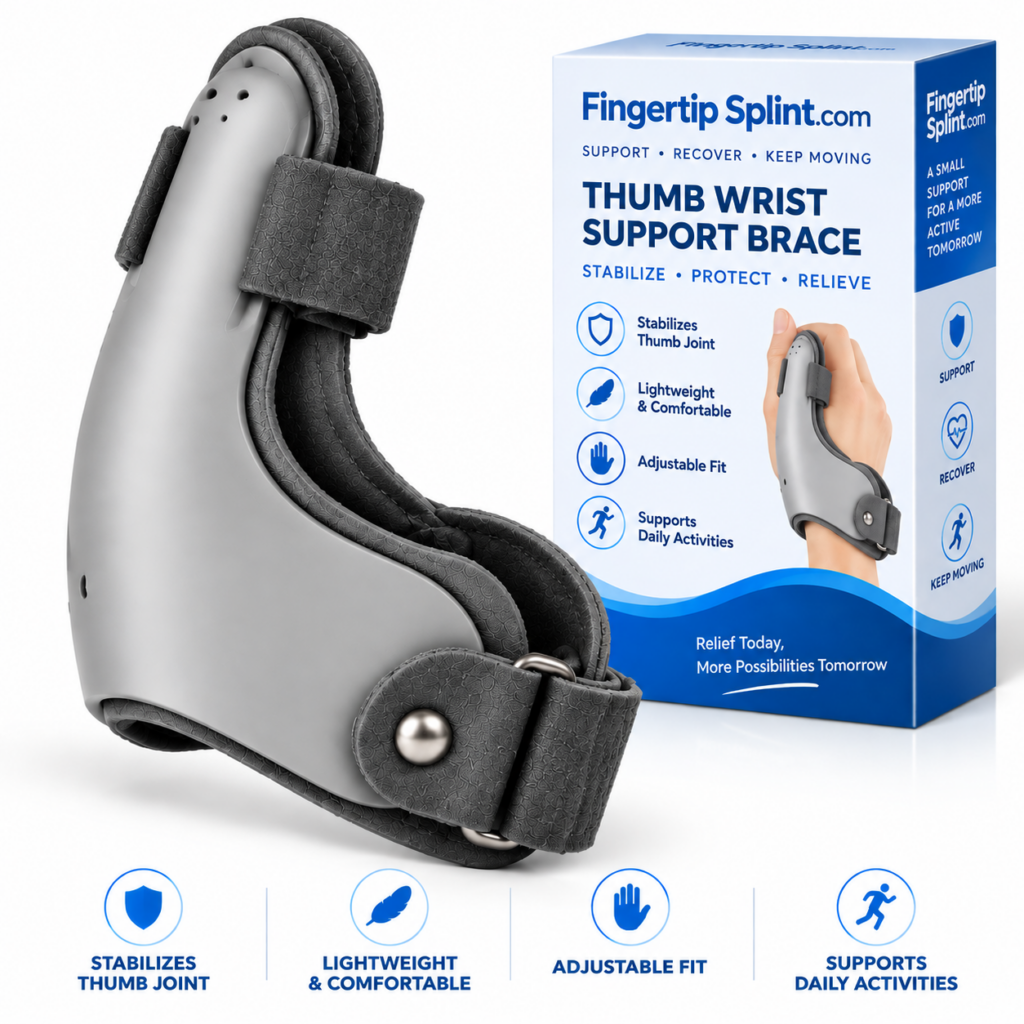
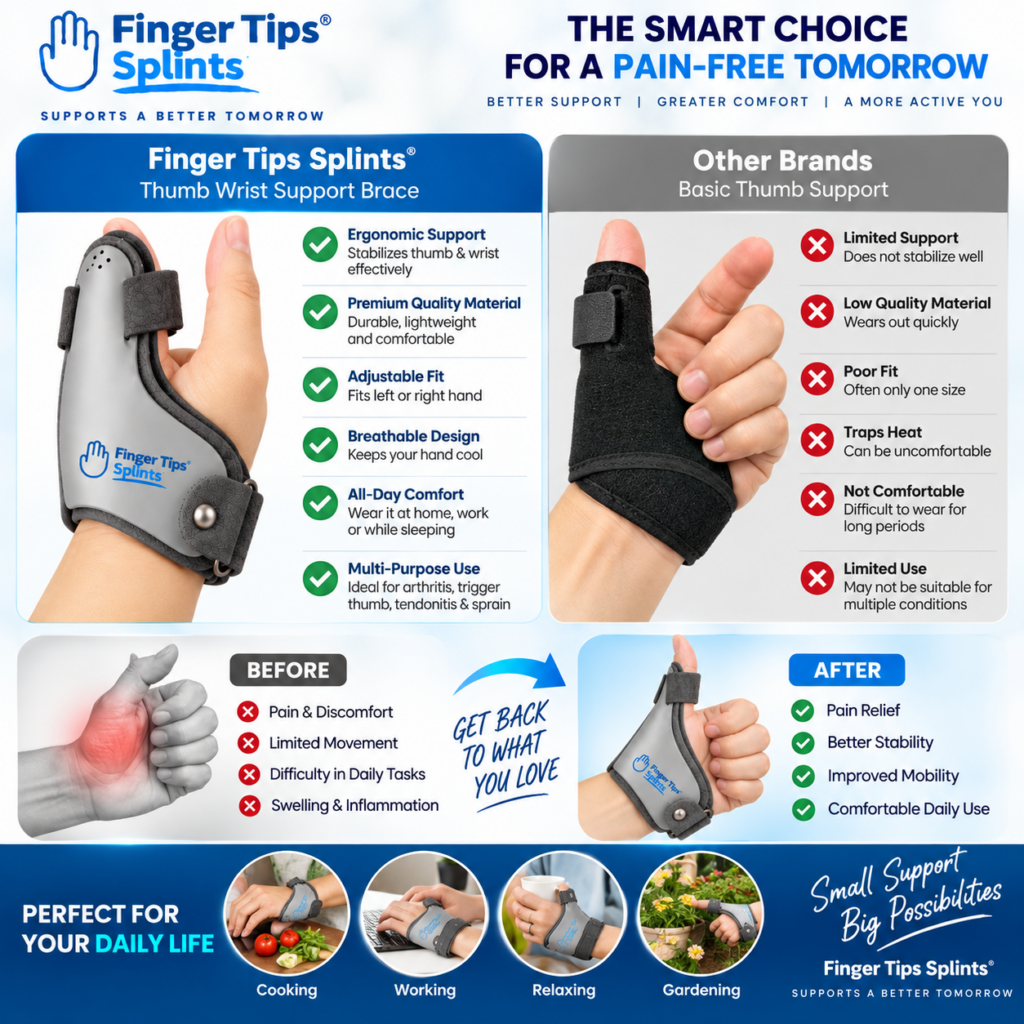
After understanding coverage and fit, here is a specific product to examine. The 1 Pcs Thumb Wrist Support Brace CMC Thumb Spica Splint is one example of a CMC-focused thumb spica design. Evaluate it using the same criteria covered in this guide.
Thumb Wrist Support Brace
- CMC-focused thumb spica design
- Thumb and wrist coverage
- Support structure
- Adjustable components
- Sizing information available on product page
Evaluating This Product Using the Fit Framework
Thumb Coverage
Review the thumb coverage characteristics described on the product page. Consider whether the coverage matches your intended use and expected support area.
Wrist Coverage
Review the wrist coverage characteristics described. Check how far the design extends onto the wrist and whether this matches your requirements.
Support Structure
Review the support structure described on the product page. Check whether the structure is flexible, semi-rigid, or rigid, and whether this matches your intended use.
Adjustability
Review the adjustment system described. Check what can be adjusted and whether the manufacturer provides adjustment instructions.
Fit and Sizing
Review the sizing information provided. Compare your measurements against the manufacturer’s sizing instructions before relying on adjustment.
Comfort Considerations
Consider where the splint contacts the hand and wrist, how the straps are arranged, and whether the materials seem appropriate for your intended use. If you have specific comfort concerns, check whether the product page provides relevant information.
For a broader comparison of CMC support versus regular thumb splints, the reference CMC thumb support vs regular thumb splints covers the differences. For buyer criteria, see choosing a thumb wrist support brace.
Comparison Table: Coverage Styles
This neutral comparison describes common coverage styles. It does not declare a winner — the appropriate coverage depends on the design and the situation.
| Design Characteristic | What It May Cover | Main Consideration |
|---|---|---|
| Thumb-focused | Mainly thumb area | Greater freedom elsewhere |
| Thumb + wrist | Thumb and wrist | More connected support area |
| Extended wrist | Thumb, wrist, and additional wrist or forearm area | Greater coverage may affect comfort or mobility |
| Shorter design | Smaller contact area | May feel less bulky |
| Adjustable design | Variable fit through straps | Requires proper adjustment |
Everyday Comfort Guide
This section covers practical situations where fit and comfort matter during everyday wear. Comfort and usability vary between people and designs.
Typing
Check whether wrist coverage interferes with keyboard positioning. Consider whether the splint adds bulk or restricts the finger movements needed for typing.
Phone Use
Consider thumb movement allowed by the design. Check whether the splint allows the fine movements needed for tapping and swiping.
Writing
Check whether the support body contacts the palm in an uncomfortable position. Consider whether the splint allows the grip required for handwriting.
Household Activities
Avoid assuming a splint is protective equipment for heat, sharp objects, or chemicals unless the product is specifically rated for those hazards. Follow the manufacturer’s intended-use instructions.
Resting
Check pressure points and follow the intended wearing instructions. Overnight use should follow the product’s intended-use instructions or professional guidance rather than being assumed safe.
5-Minute Fit Check
This checklist can help you quickly evaluate whether a thumb spica splint is fitting appropriately.
Before Wearing
- ☐ Correct size
- ☐ Correct orientation
- ☐ No visible damage
After Fitting
- ☐ Thumb positioned correctly
- ☐ Wrist section aligned
- ☐ Strap secure
- ☐ No excessive pressure
After Moving
- ☐ Splint hasn’t shifted significantly
- ☐ Expected movement remains available
- ☐ No concerning symptoms
Common Mistakes
These mistakes come up frequently when people fit thumb spica splints. Avoiding them improves the experience.
Splint sizing may involve wrist measurements and other factors, not just thumb size.
Check: follow the manufacturer’s complete sizing instructions.
Wrist measurements may be required depending on the design.
Check: whether the manufacturer’s sizing includes wrist measurements.
Excessive tightness can create pressure points and discomfort.
Check: whether the adjustment follows the manufacturer’s guidance.
Sizing systems differ between products.
Check: the specific product’s sizing instructions.
Numbness, tingling, significant discoloration, or escalating pain should not be ignored.
Check: remove the splint and seek appropriate advice if symptoms persist.
Uneven adjustment can create pressure points or affect positioning.
Check: whether the straps are adjusted according to the manufacturer’s instructions.
A splint that slips repeatedly may not be providing the intended support.
Check: whether sizing, positioning, and adjustment are correct.
Coverage varies between designs.
Check: the specific design’s intended coverage.
Coverage, structure, and intended use matter more than price alone.
Check: whether the product’s design matches your requirements.
Two similar-looking braces may have different coverage and design.
Check: the specific product’s specifications and intended use.
When Fit Questions Need Professional Guidance
This section is written with an EEAT (Experience, Expertise, Authoritativeness, Trustworthiness) perspective. It distinguishes product fit advice from medical diagnosis.
Significant or Worsening Pain
Severe or worsening pain is a sign that warrants professional assessment rather than self-selecting or self-adjusting a support device.
Visible Deformity
Visible deformity warrants professional assessment. A splint should not be used to manage a deformity without professional guidance.
Substantial Swelling
Significant swelling affects fit and may indicate an underlying problem that requires professional assessment.
Persistent Numbness or Tingling
Numbness or tingling may indicate nerve involvement and should be assessed professionally.
Major Loss of Movement
Significant loss of movement warrants professional assessment to determine the appropriate approach.
Symptoms After Significant Injury
Symptoms following significant injury warrant professional assessment rather than selecting a support device based on a product description.
Symptoms That Aren’t Improving as Expected
If symptoms are not improving, do not simply continue adjusting the splint. Seek professional guidance.
Important distinction: Product fit advice is different from medical diagnosis. This article can help with understanding fit and coverage of a product, but it does not provide individualized medical advice. If you have significant symptoms or uncertainty about the appropriate type of support, consult an appropriate healthcare professional.
Warning Signs That Warrant Professional Assessment
- Severe or worsening pain
- Significant swelling
- Visible deformity
- Major loss of movement
- Persistent numbness or tingling
- Concerning skin or circulation changes
- Symptoms that are not improving
For general information about thumb and hand conditions, see the Mayo Clinic overview of thumb arthritis. For broader hand anatomy and condition information, the Cleveland Clinic hand anatomy resource provides useful context. For an orthopedic perspective, the AAOS thumb arthritis library is a widely referenced resource. For general public health information, the NHS hand pain guidance offers a practical overview. Additional medical reference information is available through MedlinePlus hand injuries and disorders. For clinical and anatomy-focused context, Johns Hopkins Medicine hand conditions provides further reading. General educational context is also available through WebMD’s overview of thumb arthritis and Healthline’s thumb arthritis information. For peer-reviewed literature, NCBI PubMed Central hosts open-access research where appropriate. For a broader orthopedic reference, Orthobullets provides structured clinical summaries.
Important: This article does not provide individualized medical advice. Always consult an appropriate healthcare professional regarding your specific situation.
Quick Tips
Quick Fit Checklist
Before and after fitting a thumb spica splint, check the following. Click each item to mark it as reviewed.
Frequently Asked Questions
A thumb spica splint should sit securely around its intended thumb and wrist support areas without creating excessive pressure. The thumb and wrist should remain appropriately positioned for the specific design. The splint should not cause numbness, tingling, significant discoloration, or persistent pain. Fit should be checked against manufacturer sizing instructions. Follow the manufacturer’s adjustment guidance for the specific product.
Thumb coverage varies between designs. Some designs cover the base and shaft of the thumb while leaving the tip exposed. Others cover more of the thumb. The appropriate coverage depends on the design’s intended function and the user’s requirements. More coverage is not automatically better — check the design’s intended coverage against your needs.
Some thumb spica designs extend onto the wrist; others do not. Wrist coverage can provide a structural anchor for the thumb-support portion of the splint. Longer wrist coverage isn’t automatically better — the appropriate coverage depends on the device design and intended purpose. Check the specific product’s stated coverage before deciding whether it matches your needs.
Signs that a splint may be too tight include numbness, tingling, significant discoloration, escalating pain, and uncomfortable pressure. If these symptoms occur, loosen or remove the device and follow appropriate professional or manufacturer guidance rather than simply tightening or continuing to wear it. More tension is not automatically better. Follow the manufacturer’s adjustment instructions.
This depends on the specific design and intended support. Many thumb spica designs leave some fingers free while supporting the thumb and wrist. Other designs cover more of the hand. The appropriate amount of movement depends on the device design and its intended purpose. Check the specific design’s intended coverage and follow the manufacturer’s instructions.
No. More coverage isn’t automatically better. Coverage should match the design’s intended function and the user’s requirements. A design that covers more of the thumb or wrist isn’t necessarily more appropriate for every situation. More coverage can mean more contact points, more material, and possibly more movement limitation. The appropriate coverage depends on the situation.
Numbness or tingling should not be ignored. Loosen or remove the device and follow appropriate professional or manufacturer guidance. Do not simply continue to wear the splint and hope the symptoms resolve. If symptoms persist, seek professional advice. Numbness or tingling may indicate that the fit is too tight or that the device is not appropriate for the situation.
Conclusion: Coverage and Comfort Work Together
A thumb spica splint needs enough coverage to provide the intended support while still allowing appropriate movement and comfortable everyday wear. Coverage determines where the support structure contacts the hand. Fit determines how the splint sits and feels. Comfort affects whether the splint can be worn as intended.
This guide has covered what a thumb spica splint covers, why coverage matters, how thumb and wrist coverage interact, what a properly fitted splint should feel like, how to recognize common fit problems, and how to check fit after movement. The goal has been to provide a practical fitting framework — not to declare one design universally better.
Compare the Fit Before You Choose
Review the coverage, sizing information, support structure, adjustability, and comfort considerations against the framework in this guide. The 1 Pcs Thumb Wrist Support Brace CMC Thumb Spica Splint is one example of a CMC-focused thumb spica design.
View the Thumb Wrist Support BraceNeed information about other thumb and hand support products? Explore the FingerTipSplint shop. For general questions, see the FingerTipSplint FAQ. For B2B inquiries, see the medical finger splint supplier page or request a quote.