
Thumb Sleeve Splint Fit Guide: Understanding Coverage and Comfort
A good fit is more than the right size. A sleeve can have the correct nominal size but still feel wrong because of incorrect positioning, excessive coverage, shifting, pressure, or unsuitable construction. This guide explains how a thumb sleeve splint should fit, what coverage means, how to recognize a poor fit, and how to perform a simple fit check.
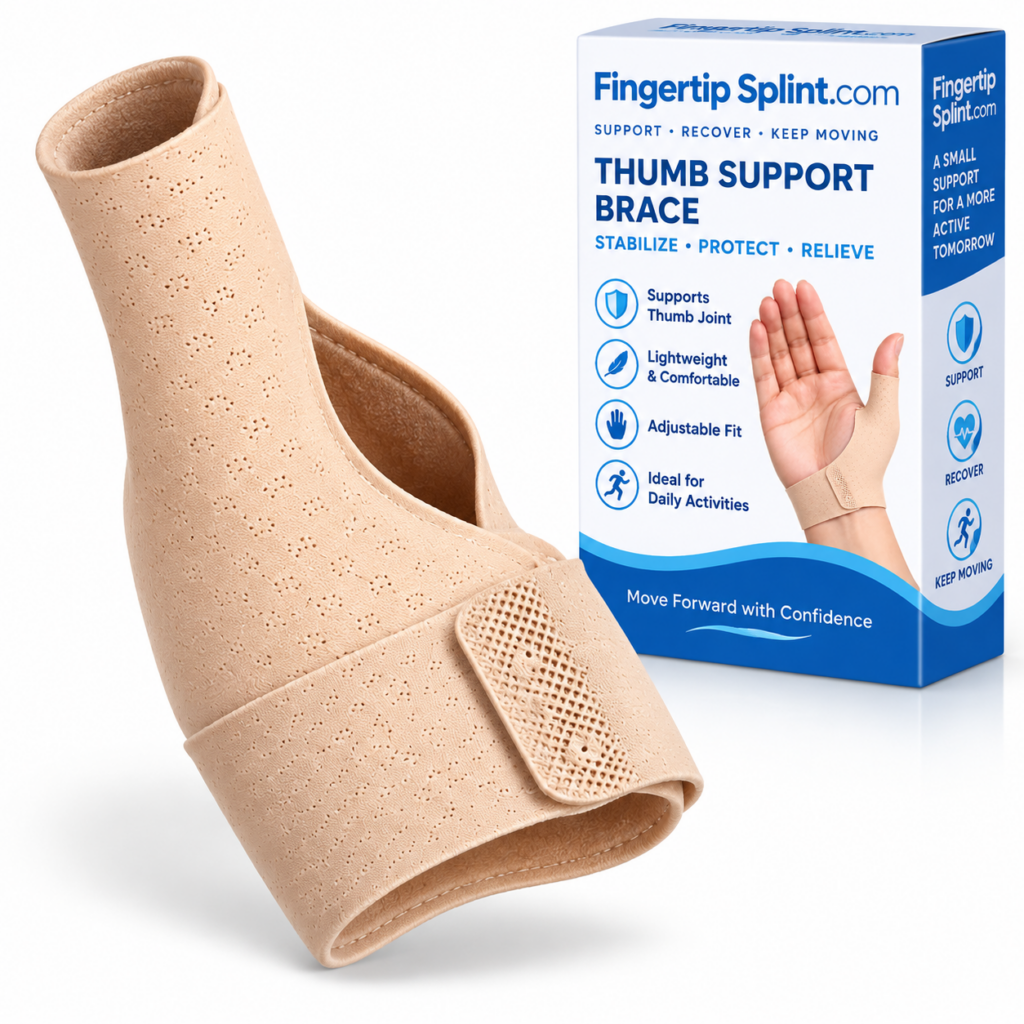
What This Fit Guide Covers
- Quick Answer
- What Does a Proper Fit Actually Mean?
- Size vs Fit
- How to Read a Size Chart
- Coverage — What Does It Actually Mean?
- 3D Interactive: Anatomy of a Correct Fit
- Step-by-Step Thumb Sleeve Fitting Guide
- Interactive Fit Checker
- Too Loose vs Appropriate vs Too Tight
- How Tight Should a Thumb Sleeve Be?
- Coverage and Comfort Relationship
- Material and Skin Contact
- Movement Check
- Activity-Based Fit Checks
- Common Fit Problems
- Fit Mistakes to Avoid
- Product Spotlight
- 5-Minute Fit Routine
- When a Fit Problem May Need More Than an Adjustment
- Professional Guidance
- FAQ
- Conclusion
Quick Answer: How Should a Thumb Sleeve Splint Fit?
A thumb sleeve splint should sit securely in its intended position without excessive pressure, shifting, or uncomfortable restriction. Check the manufacturer’s size chart first, then confirm thumb coverage, positioning, pressure, skin comfort, and movement. A correct fit should feel secure rather than painfully tight.
If you need the foundational definition of what a thumb sleeve splint is, the reference Thumb Support Sleeve Splint: What Is It and How Does It Work? covers that ground. This article focuses specifically on fit, coverage, and comfort.
What Does a Proper Fit Actually Mean?
A proper fit involves several characteristics working together. If any one of them is off, the sleeve may not feel right — even if the size is correct.
Secure
The sleeve remains where it is intended to sit. It does not slide or shift during normal use.
Comfortable
It doesn’t create excessive pressure or irritation. Comfort that holds up during activity is a better signal than comfort at first touch.
Functional
It doesn’t unexpectedly interfere with necessary movement. The sleeve should allow the movement its design intends.
Appropriate Coverage
The sleeve covers the intended area according to its design. Coverage is a physical property that cannot be extended by adjustment.
Key principle: A good fit isn’t the tightest fit. It’s the fit that keeps the product correctly positioned without creating unnecessary pressure or discomfort. Fit is about balance, not maximum tightness.
Size vs Fit
Size and fit are related but different. Understanding the distinction helps diagnose problems when the sleeve doesn’t feel right.
Size
Based on manufacturer measurements. Size is determined before the product is on your hand — by comparing your measurements against the manufacturer’s sizing chart.
Fit
How that specific product actually sits on your thumb and hand. Fit is determined after the product is on — by positioning, adjustment, and how the product behaves during movement.
Two people with similar measurements can experience different fit depending on hand shape, thumb shape, product construction, material elasticity, coverage, and adjustment mechanism. This is why selecting the correct size is the starting point — not the entire solution.
How to Read a Size Chart
Reading a size chart correctly is the first step toward a good fit. Follow these steps in order.
For broader buying context, the reference What to Look for When Choosing a Thumb Support Sleeve Splint covers the selection process step by step.
Coverage — What Does It Actually Mean?
Coverage is the article’s central concept. Understanding what coverage means helps you evaluate whether the sleeve is covering the intended area and how that affects fit and comfort.
Thumb Coverage
What part of the thumb is enclosed or supported? Coverage determines which part of the thumb interacts with the product.
Hand Coverage
Does the sleeve extend onto the hand? Hand coverage may provide additional contact area but can affect movement.
Wrist Coverage
Does the design extend toward the wrist? Wrist coverage may provide more support but involve more of the hand.
Support-Zone Coverage
Which part of the product is actually providing contact or support? This matters more than the total size of the product.
Important: More coverage does not automatically mean better support. Coverage should be evaluated according to the product’s intended design and your specific purpose. Match coverage to function rather than maximizing it.
Anatomy of a Correct Fit: 3D Interactive
This interactive shows the key fit zones of a properly positioned thumb sleeve splint. Tap each zone to see what to check.
Interactive 3D: Anatomy of a Correct Fit
Tap each zone to see what to check
Thumb Coverage
What part of the thumb is enclosed or supported by the sleeve. Check that the coverage area matches the intended purpose. Coverage is a physical property set by the design and cannot be extended by adjustment.
Step-by-Step Thumb Sleeve Fitting Guide
Follow this sequence when fitting a thumb sleeve splint. Follow the manufacturer’s instructions for the specific product you are using.
Interactive Fit Checker
This is a fit-education tool, not a diagnostic tool. Answer each question to see what to consider.
Interactive Fit Checker
Answer each question based on your current fit.
Answer all three stages to see fit-related considerations.
Too Loose vs Appropriate vs Too Tight
Understanding the three fit states helps identify when the fit is right and when it needs attention. These are general fitting indicators, not a medical diagnosis.
TOO LOOSE
Sliding and shifting
APPROPRIATE
Secure and comfortable
TOO TIGHT
Excessive pressure
Appropriate Fit
Secure positioning during intended movement. Comfortable contact with the hand. Intended coverage maintained. Movement remains practical for the intended activity. No obvious excessive pressure. This is the target — not the tightest fit, but the fit that works.
| Fit State | Possible Signs | What to Consider |
|---|---|---|
| Too loose | Sliding, shifting, poor positioning | Recheck sizing and positioning |
| Appropriate | Secure, comfortable, stable | Continue monitoring |
| Too tight | Excessive pressure, numbness/tingling, discoloration, pain | Remove and reassess |
How Tight Should a Thumb Sleeve Be?
It should be secure enough to remain in position without creating excessive pressure. This is the direct answer to a common question.
Too Loose
The sleeve shifts during use. It may slide, rotate, or bunch. Check sizing and positioning before assuming the design is wrong.
Appropriate
The sleeve remains positioned while remaining comfortable. It allows the intended movement without slipping or creating pressure.
Too Tight
The sleeve creates unnecessary pressure. Numbness, tingling, discoloration, or persistent pain are warning signs that should prompt reassessment.
Note: A universal pressure measurement is not provided because different products use different materials and constructions. Follow the manufacturer’s fitting guidance for the specific product.
Coverage and Comfort Relationship
Coverage and comfort are connected. More material around the hand can affect flexibility, heat, pressure, skin contact, movement, and clothing compatibility. But more coverage does not automatically mean better support, and less coverage does not automatically mean less usefulness.
More Coverage May Affect
- Flexibility during fine-motor tasks
- Heat and moisture accumulation
- Pressure distribution across more area
- Skin contact area
- Movement range
- Clothing compatibility
Less Coverage May Offer
- Greater freedom of movement
- Lower profile during tasks
- Less heat and moisture buildup
- Easier interaction with objects
- Less interference with grip
Material and Skin Contact
Skin contact and material characteristics affect how the sleeve feels during wear. Understanding these factors helps evaluate comfort more objectively.
Fabric feel
Elasticity
Seams
Edges
Moisture behavior
Heat retention
Friction at contact points
Skin Comfort Checklist
Tap each item as you confirm it.
Care and cleaning should follow the manufacturer’s instructions. Improper washing can affect materials, elasticity, closures, or fit.
Movement Check
After fitting, check how the sleeve interacts with natural movement. This helps confirm that the sleeve is functioning as intended.
What to Check
- Thumb movement — can the thumb move within the intended range?
- Grip — does the sleeve interfere with normal gripping?
- Position — does the sleeve stay in place during gentle movement?
- Stability — does it shift unexpectedly?
Important Safety Notes
- Do not repeatedly test painful movements
- If movement restriction has been medically prescribed, follow those instructions
- If movement causes persistent pain or concerning symptoms, stop and seek advice
For a broader comparison of movement characteristics between sleeve-style and structured designs, the reference Thumb Support Sleeve vs Traditional Splint: What’s the Difference? covers the topic.
Activity-Based Fit Checks
Different activities place different demands on the thumb. This brief table helps evaluate fit during common activities.
| Activity | Fit Check |
|---|---|
| Writing | Does it interfere with grip? |
| Typing | Does it affect keyboard use? |
| Smartphone | Does it restrict necessary thumb reach? |
| Reading | Does it remain comfortable while holding a book or device? |
| Light tasks | Does it shift during normal movement? |
For a deeper look at how sleeve-style designs fit into daily activities, the reference How a Sleeve-Style Thumb Splint Fits Into Everyday Activities covers the topic in more depth.
Common Fit Problems
These fit problems come up frequently. Each has a specific cause and a practical check.
Potential considerations include wrong size, incorrect positioning, unsuitable construction, or insufficient adjustment.
Check: size, position, and adjustment range.
Don’t automatically tighten or continue wearing it. Recheck sizing and positioning.
Check: whether the issue is size, position, or adjustment.
Check orientation, sizing, and seam/edge placement.
Check: whether the opening matches your thumb dimensions.
Check positioning and whether the selected size or design is appropriate.
Check: placement and material behavior.
Comfort alone doesn’t mean the fit is correct. Stability matters.
Check: sizing, positioning, and adjustment level.
Review product design and fitting instructions rather than assuming tighter adjustment is needed.
Check: whether the design matches the intended purpose.
Fit Mistakes to Avoid
These mistakes come up frequently when fitting a thumb sleeve splint.
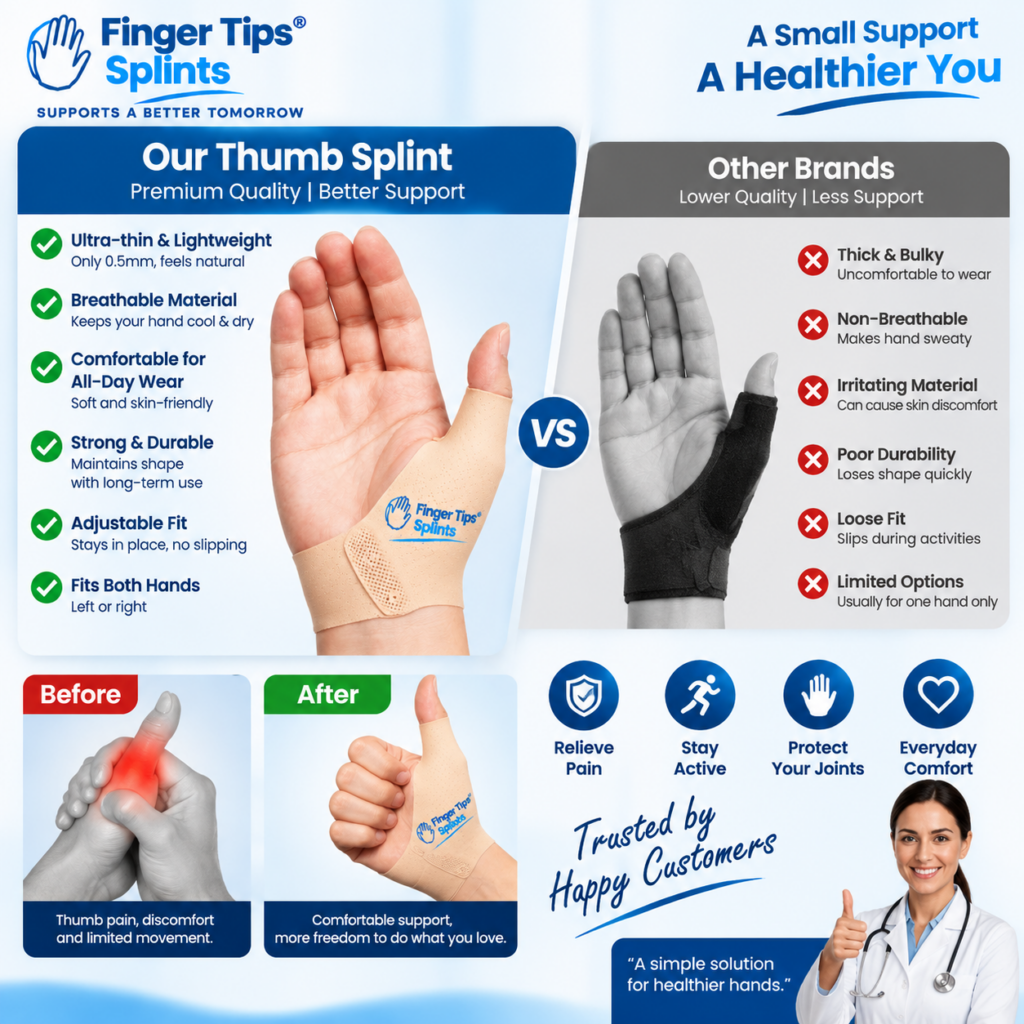
Product Spotlight: FingerTipSplint Thumb Support Sleeve Splint
After understanding the fitting principles, here is a specific product to examine. The Thumb Support Sleeve Splint is one example of a sleeve-style thumb support product. Evaluate it using the framework taught in this guide.
Thumb Support Sleeve Splint
- Sleeve-style construction designed around the thumb
- Thumb-focused coverage and positioning
- Flexible material design
- Full product specifications available on the product page
Evaluating the Product Using the Fit Framework
Size
Review the verified size information on the product page. Compare your measurements against the stated range before relying on adjustment.
Coverage
Review what the product covers. Confirm the coverage area matches your intended purpose.
Construction
Review the sleeve-style structure. Check the material, edges, and seams described in the product information.
Adjustment
Review how the product is secured, if applicable. Check how the adjustment works and what it changes.
Comfort
Review the verified material and construction characteristics. Consider how these may feel during wear.
Fit
Follow the manufacturer’s sizing and fitting guidance. The checklist in this article provides a framework for evaluating fit.
Reassessment
Plan to recheck the fit after activity and after extended wear. If fit or comfort changes, reassess positioning and adjustment.
For the complete purchasing resource, see Thumb Support Sleeve Splint: A Complete Buyer’s Guide. For design and fit fundamentals, see Thumb Sleeve Splints Explained: Design, Fit and Everyday Uses.
5-Minute Fit Routine
This routine can be completed in about five minutes and helps ensure the sleeve is fitted correctly before relying on it.
5-Minute Fit Routine
Tap each item as you confirm it.
When a Fit Problem May Need More Than an Adjustment
Not every problem should be solved by changing the fit. Some situations require professional assessment rather than another adjustment.
Seek appropriate professional advice when there is: significant injury, visible deformity, severe or worsening pain, substantial swelling, persistent numbness or tingling, major movement loss, concerning discoloration, or symptoms that aren’t improving.
A poorly fitting device shouldn’t be used to self-manage a potentially significant injury. Follow the manufacturer’s instructions, and seek appropriate professional guidance when symptoms are concerning or persistent.
Professional Guidance
A healthcare professional can help determine whether a thumb sleeve splint is appropriate for your specific situation and whether any movement restrictions should be observed.
For authoritative general information about thumb, hand, and wrist conditions, the following resources provide evidence-based content:
- Mayo Clinic for condition overviews and patient education.
- WebMD for general thumb and hand concern overviews.
- Healthline for practical wellness information.
- AAOS OrthoInfo for orthopedic guidance from specialists.
- NHS guide on hand pain for UK-based clinical guidance.
- MedlinePlus hand injuries and disorders for a broad reference library.
- Cleveland Clinic for clear patient-oriented explanations.
- Johns Hopkins Medicine for clinical and research-based perspectives.
- FDA for regulatory context on medical devices.
- NIH for research-based health information.
These resources provide general information and do not replace individualized advice from a qualified healthcare professional.
Frequently Asked Questions
A thumb sleeve splint should fit securely but not tightly. It should remain correctly positioned during intended movement, maintain the intended coverage, and feel comfortable without excessive pressure. Check the manufacturer’s size chart first, then confirm positioning, coverage, pressure, skin comfort, and movement. A correct fit should feel secure rather than painfully tight.
No. It should be secure, not painfully or excessively tight. Tightness is not a measure of support. A secure fit stays in position during intended movement without creating excessive pressure or discomfort. If you experience numbness, tingling, significant discoloration, or persistent pain, remove the sleeve and reassess. Adjust for appropriate fit, not maximum pressure.
Signs of a loose fit include shifting during use, sliding, poor positioning, bunching material, and inconsistent coverage. If the sleeve is consistently too loose, check the size first and then verify positioning. Do not over-tighten to compensate for incorrect sizing. If the size is correct and the sleeve still slips, the design may not suit your activity.
Signs of an overly tight fit include excessive pressure, discomfort, numbness or tingling, and concerning discoloration. If you notice any of these signs, remove the sleeve and reassess. Do not simply continue wearing it. Persistent symptoms warrant appropriate professional advice.
No. Coverage and support are related but not identical. More coverage does not automatically mean better support, and less coverage does not automatically mean less usefulness. Coverage affects how the product contacts and interacts with the hand. The appropriate amount of coverage depends on the product’s intended design and your specific purpose.
This depends on the sleeve’s design and fit, and on how much thumb movement the activity requires. A sleeve-style design may work well for typing or writing if it stays positioned, allows the required thumb movements, and remains comfortable. Test with a short session before relying on it for extended use. For detailed activity guidance, see the reference on how a sleeve-style thumb splint fits into everyday activities.
Recheck sizing and positioning according to the manufacturer’s instructions. Adjust gradually rather than tightening further. If discomfort persists, or if you experience numbness, tingling, significant discoloration, or persistent pain, remove the splint and seek appropriate professional advice. Do not simply continue wearing a splint that is uncomfortable.
Fit Is a Process, Not a Label
A thumb sleeve splint isn’t correctly fitted simply because you selected the right size. A practical fit requires the right size, position, coverage, pressure, movement profile, and comfort. Understanding these elements helps you evaluate any sleeve-style product more effectively. Measure → Position → Adjust → Check Coverage → Check Comfort → Reassess
The Bottom Line on Thumb Sleeve Splint Fit
A thumb sleeve splint fit comes down to more than size. It requires the right size, position, coverage, pressure, movement profile, and comfort. When these characteristics work together, the sleeve stays positioned, feels comfortable, and allows the movement appropriate to its design.
The framework in this guide — Measure → Position → Adjust → Check Coverage → Check Comfort → Reassess — works across products and situations. Starting with correct sizing and positioning, then adjusting gradually, then reassessing during activity produces better outcomes than tightening until the sleeve feels secure.
If you want to continue exploring within this cluster, the buyer’s checklist What to Look for When Choosing a Thumb Support Sleeve Splint covers the selection process, and the design reference Thumb Sleeve Splints Explained: Design, Fit and Everyday Uses covers design fundamentals. For a wider reference, explore the full FingerTipSplint blog library.
This article is for general information only and is not a substitute for professional medical advice. Always consult a qualified healthcare provider for diagnosis and treatment of any medical condition.